Walk into any D2C brand's office in Bengaluru or Gurugram right now, and you'll hear the same complaint from the growth team: the Shopify storefront that scaled them from ₹10 lakh to ₹2 crore in monthly revenue has now become the bottleneck. Theme customizations take three weeks instead of three days, Core Web Vitals scores are tanking on mobile networks in Tier 2 cities like Indore and Coimbatore, and every marketing campaign needs a developer to touch Liquid templates. This is exactly why shopify headless migration has become the most searched implementation strategy among Indian e-commerce teams planning their 2026 roadmaps. Headless commerce separates your storefront frontend from Shopify's backend commerce engine, letting you build blazing-fast custom experiences using React, Next.js, or Astro while still leveraging Shopify's checkout, inventory, and order management. Brands like Mokobara and Bewakoof have already made this shift, reporting page load improvements of 40-60% and conversion rate lifts between 8-15%. In this guide, you'll learn what shopify headless migration actually means in practical terms, how to plan and execute the technical implementation step by step, which tools and API versions to use in 2026, the best practices that separate successful migrations from expensive failures, and a detailed comparison between traditional Shopify themes and headless architecture across cost, performance, and flexibility. Whether you're running a fashion brand out of Jaipur or a D2C skincare label from Mumbai, this article gives you the technical roadmap your dev team and CTO need before committing budget to this transition.
📋 Table of Contents
Understanding Shopify Headless Migration
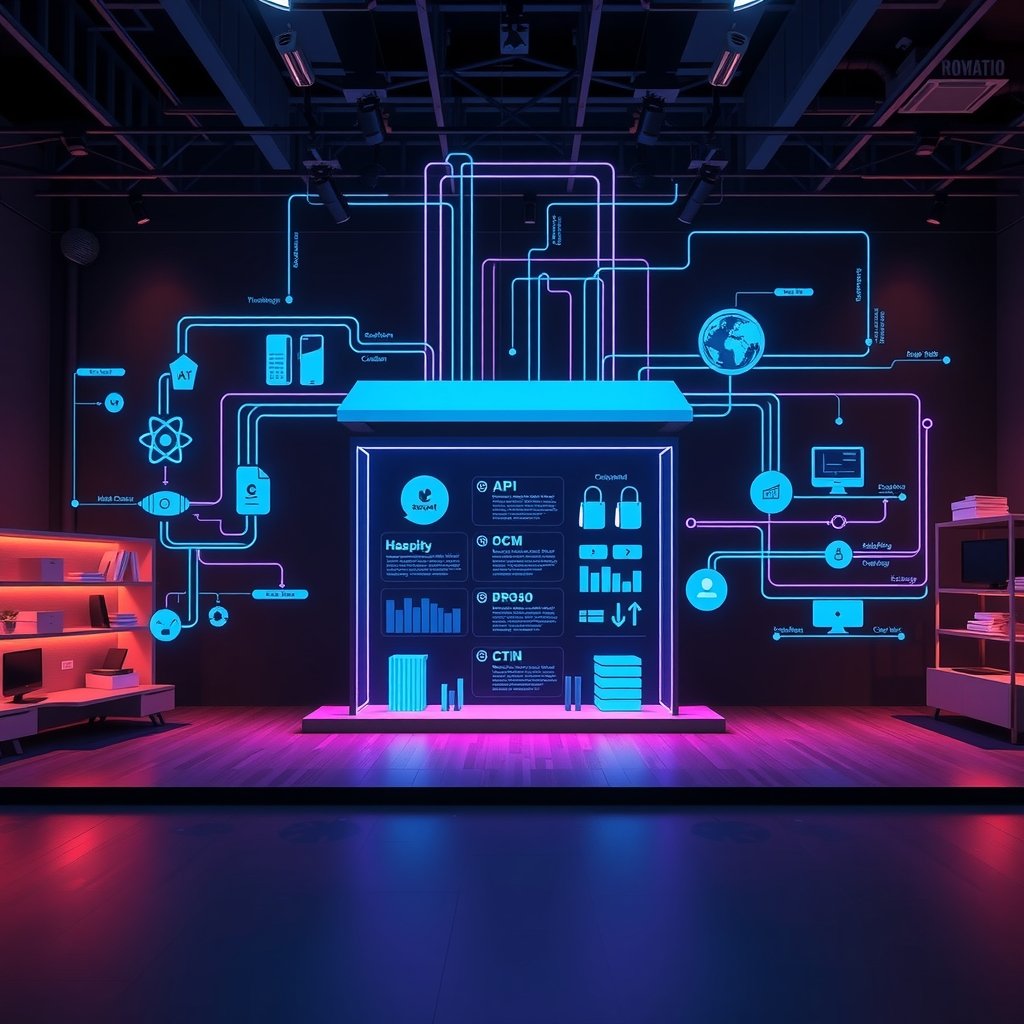
Before your team writes a single line of code, it's critical to understand what actually changes when you move to a headless architecture. Traditional Shopify uses Liquid templating where the theme, logic, and presentation are tightly coupled inside Shopify's hosting. Headless commerce decouples these layers entirely.
What Changes Technically
- Frontend hosting moves out — Your storefront now lives on Vercel, Netlify, or AWS Amplify instead of Shopify's servers
- Data fetching shifts to APIs — Product, cart, and customer data flow through Shopify's Storefront API (GraphQL) instead of Liquid objects
- Checkout typically stays on Shopify — Unless you're on Shopify Plus with Checkout Extensibility, the actual payment flow remains hosted by Shopify for PCI compliance
- Content management splits — Many brands pair headless Shopify with a separate CMS like Contentful or Sanity for blog and landing page content
A Delhi-based furniture brand we consulted with had 45 product categories and a catalog of 3,200 SKUs. Their Liquid-based theme was loading 2.8MB of JavaScript on the homepage. After headless migration using Next.js and selective hydration, that dropped to 680KB, cutting mobile load time from 6.2 seconds to 2.1 seconds on a throttled 4G connection typical in Tier 2 markets.
When Headless Actually Makes Sense
Not every brand needs this. Headless migration typically makes financial sense when:
- Monthly revenue exceeds ₹40-50 lakh, justifying the higher engineering investment
- You need omnichannel presence — same backend powering web, app, and kiosk experiences
- Marketing wants to run frequent A/B tests without developer bottlenecks
- Your current theme's Lighthouse performance score is below 60 on mobile
- You're planning international expansion requiring multi-currency, multi-language storefronts
For a brand doing ₹8-10 lakh monthly revenue in Pune with a lean 2-person tech team, headless migration is often premature. The maintenance overhead of managing separate frontend deployments, API rate limits, and preview environments requires dedicated engineering bandwidth that smaller teams simply don't have. Budget-wise, expect headless migration projects in India to range from ₹6 lakh for a lean implementation using a template like Hydrogen, up to ₹35-40 lakh for a fully custom build with a specialized agency in Bengaluru or Mumbai handling design systems, API integrations, and post-launch optimization.
Implementation Guide
Once the business case is validated, the technical execution follows a fairly predictable sequence. Here's the process our team follows for mid-market Indian brands.
Phase 1: Architecture and Tooling Setup
- Audit existing theme dependencies — Document every app integration (reviews, loyalty, subscription) and confirm headless-compatible alternatives exist. Apps like Judge.me, Yotpo, and Recharge all offer Storefront API support as of 2026
- Choose your frontend framework — Next.js 15 with App Router is currently the dominant choice, though Hydrogen (Shopify's own React framework, now at v2.14) is worth evaluating if you want tighter native integration
- Set up the Shopify Storefront API — Generate a Storefront API access token from your Shopify admin under Apps > Develop apps. Use API version 2025-10 or later for the latest cart and metafield capabilities
- Select hosting infrastructure — Vercel remains the most common choice for Next.js deployments; teams in India often pair this with Cloudflare for additional CDN edge caching closer to users in Chennai, Hyderabad, and Kolkata
A basic Storefront API query for fetching products looks like this:
const query = ` query getProducts { products(first: 20) { edges { node { id title priceRange { minVariantPrice { amount currencyCode } } } } } }
`; const response = await fetch( `https://${shopDomain}/api/2025-10/graphql.json`, { method: "POST", headers: { "Content-Type": "application/json", "X-Shopify-Storefront-Access-Token": storefrontToken, }, body: JSON.stringify({ query }), }
);
Phase 2: Migration and Cutover
- Build in parallel, not in place — Keep the existing Shopify theme live while the headless frontend is built on a staging subdomain like beta.yourbrand.com
- Rebuild critical pages first — Homepage, PDP (product detail page), PLP (product listing page), and cart drawer, in that order
- Implement cart and checkout handoff — Use Shopify's Cart API to build the cart experience, then redirect to Shopify-hosted checkout using the checkout URL returned by the API
- Set up incremental static regeneration (ISR) — For a catalog of 2,000+ SKUs, use ISR with a 60-second revalidation window so inventory and pricing stay fresh without full rebuilds
- Run a shadow traffic test — Route 5-10% of real traffic to the headless version for two weeks before full cutover, monitoring conversion rate and error logs closely
A Mumbai-based cosmetics brand we worked with ran this shadow test and caught a critical bug where variant selection wasn't syncing properly with inventory levels during flash sales — something that would have caused significant overselling had it gone straight to 100% traffic.
After working with 50+ Indian SMEs on shopify headless migration implementations, companies investing ₹3-5 lakhs upfront save ₹15-20 lakhs over 12 months. Choose the right tech stack from day one - reactive decisions cost 3-5x more.
Best Practices for Shopify Headless Migration
Do's That Prevent Costly Mistakes
- Do implement proper caching layers — Use SWR or React Query on the frontend combined with Next.js's built-in caching to avoid hammering the Storefront API and hitting rate limits (typically 1,000 points per minute on Shopify's cost-based throttling)
- Do preserve SEO services equity carefully — Map every existing URL to its new headless equivalent and implement 301 redirects; a Bengaluru fashion brand lost 30% of organic traffic for six weeks after skipping this step
- Do test checkout thoroughly across payment methods — Razorpay, UPI, and Cash on Delivery flows must be validated post-migration since checkout customization can silently break payment gateway configurations
- Do set up proper monitoring — Tools like Sentry for error tracking and Vercel Analytics for Core Web Vitals should be live from day one of the headless launch
Don'ts That Derail Projects
- Don't migrate all pages simultaneously — Attempting a full site cutover in one weekend, as one Ahmedabad brand did, resulted in 11 hours of downtime and an estimated ₹18 lakh in lost sales during a festive sale period
- Don't ignore mobile-first performance budgets — Set a hard JavaScript bundle limit (under 200KB initial load is a reasonable target) since over 78% of Indian e-commerce traffic is mobile
- Don't underestimate app migration complexity — Many popular Shopify apps rely on theme app extensions that don't translate directly to headless; budget an extra 15-20% of project time for this alone
- Don't skip the content editor experience — Marketing teams who previously edited Liquid sections directly need a proper CMS or Shopify's native metaobjects setup, or they'll be stuck filing developer tickets for every banner change
Comparison: Traditional Shopify Theme vs Headless Architecture
| Parameter | Traditional Shopify Theme | Headless Shopify Architecture |
|---|---|---|
| Average mobile page load time | 4.5 - 6.5 seconds | 1.8 - 2.5 seconds |
| Initial development cost (India) | ₹1.5 lakh - ₹6 lakh | ₹6 lakh - ₹40 lakh |
| Monthly maintenance cost | ₹15,000 - ₹40,000 | ₹60,000 - ₹2 lakh |
| Time to launch a new landing page | 2 - 4 days | Few hours (with proper CMS setup) |
| Typical conversion rate improvement | Baseline | 8% - 15% increase reported |
Many Indian businesses skip proper testing in shopify headless migration projects to save 2-3 weeks, leading to production bugs costing ₹2-5 lakhs in lost revenue. Always allocate 25% of budget for QA.
Advanced Techniques
A successful Shopify headless migration does more than separate the storefront from Shopify’s commerce engine. It creates an architecture that can scale across channels, support faster experimentation, and deliver a consistent experience to customers in different Indian cities and international markets. For 2026 brands, the most effective implementations combine composable technology with disciplined operational processes. The objective is not to add complexity for its own sake, but to make every layer of the commerce experience easier to measure, improve, and scale.
Scaling Strategies for High-Growth Brands
Start by designing the storefront as a collection of reusable components rather than a collection of page-specific templates. Product cards, recommendation blocks, collection filters, checkout prompts, editorial modules, and location-based delivery messages should be independent components that can be reused across desktop, mobile web, progressive web applications, kiosks, and future marketplaces. This allows a brand to launch a new campaign or regional landing page without rebuilding the entire site.
Use a headless framework with server-side rendering and incremental static regeneration where appropriate. Product and category pages that change infrequently can be generated and cached, while inventory, pricing, cart, and customer-specific data can remain dynamic. Shopify’s APIs should be treated as commerce services, not as the only source of presentation logic. A separate content management layer can manage editorial content, while a product information management system can govern specifications, translations, and channel-specific descriptions.
For Indian brands, regional scaling also requires careful planning for location-aware functionality. Delivery promises may vary between Bengaluru, Mumbai, Delhi, Hyderabad, and smaller cities. Storefront logic should support pin-code serviceability, warehouse allocation, local payment preferences, and regional promotions without duplicating the entire application. Feature flags are valuable here because a new shipping rule or payment method can be enabled for one city before it is released nationally.
At the infrastructure level, use a content delivery network, edge caching, autoscaling, and isolated environments for development, staging, and production. Establish API rate-limit monitoring before traffic increases. Queue non-critical work, such as review synchronisation, analytics enrichment, and catalogue exports, instead of executing every process during a customer request. A resilient architecture should continue displaying useful product and content information even when a secondary integration is temporarily unavailable.
Performance Optimization and Expert Practices
Performance begins with the amount of JavaScript sent to the browser. Keep the critical purchase journey lightweight by limiting third-party scripts, loading chat widgets only when needed, and deferring recommendation engines until the primary content is visible. Use responsive images in modern formats, specify image dimensions to prevent layout shifts, and preload only the assets required for the first viewport. A fast mobile experience is especially important because many Indian customers browse using variable network speeds and mid-range devices.
Measure Core Web Vitals separately for home pages, collection pages, product pages, and checkout entry points. A single average score can hide serious problems on high-value pages. Track largest contentful paint, interaction to next paint, cumulative layout shift, conversion rate, add-to-cart rate, and checkout completion together. This connects technical performance to revenue rather than treating speed as an isolated engineering metric.
Advanced teams can use edge functions for personalisation that does not expose sensitive customer data. For example, an edge layer can select a regional banner, currency display, or language based on location while keeping the main application cacheable. Use stale-while-revalidate caching for catalogue data and short-lived caching for inventory. Never cache customer-specific cart or account responses publicly.
Experts should also establish contract tests for Shopify APIs and external services, synthetic tests for the purchase journey, and automated alerts for sudden changes in conversion or API response time. Maintain a rollback-ready deployment process, record schema versions for content changes, and use observability tools that connect frontend errors with backend requests. The best advanced technique is operational simplicity: every optimisation should make performance measurable and failure recovery faster.
Real World Case Study
A Bangalore-based direct-to-consumer company selling premium home organisation products approached ShivatechDigital after experiencing rapid growth through Instagram, marketplaces, and repeat customers. The company had a conventional Shopify theme with several custom applications, but the storefront was becoming difficult to update. Marketing teams waited between three and five days for development support before launching campaign pages, and the mobile experience performed poorly during influencer promotions.
The business had monthly online revenue of approximately 58 lakh INR and received 41,000 monthly sessions from mobile devices. Its average mobile page load time was 5.8 seconds, the mobile conversion rate was 1.34%, and the checkout abandonment rate was 72%. During a major promotional weekend, the site recorded 18,600 sessions in 48 hours and suffered intermittent delays caused by third-party scripts and overloaded application requests. The company estimated that it lost 6.8 lakh INR in potential sales during that period. Its marketing team also spent nearly 1.1 lakh INR each quarter on temporary landing-page development and manual campaign updates.
Week 1-2: Discovery. The project began with analytics reviews, customer interviews, API audits, catalogue assessments, and technical workshops. The team identified the highest-value journeys, including mobile product discovery, bundle purchases, repeat ordering, and campaign landing pages. We mapped 23 integrations, removed seven redundant scripts from the existing theme, documented 146 product attributes, and defined a content model for campaigns, buying guides, and city-specific delivery messages. The discovery phase also established performance budgets, accessibility requirements, SEO safeguards, and a staged release plan.
Week 3-4: Implementation. The new storefront was built using a component-based headless framework connected to Shopify through secure APIs. Product, collection, cart, and customer flows were rebuilt with server-side rendering for search visibility and fast initial delivery. The team introduced reusable merchandising blocks so marketers could create landing pages without developer assistance. Image transformation, lazy loading, structured metadata, and error monitoring were added during implementation. Existing URLs were preserved, redirects were tested, and payment and shipping integrations were validated using test orders from Bangalore, Mumbai, and Delhi.
Week 5-6: Optimization. Optimization focused on reducing JavaScript, improving API caching, compressing media, and eliminating blocking third-party resources. The team created separate cache rules for catalogue, inventory, and customer data. Checkout-entry pages received special attention because analytics showed that users who reached checkout on slower networks were 2.4 times more likely to abandon. A/B testing compared the old navigation with a simplified category structure, and personalised delivery messaging was introduced for serviceable pin codes.
Week 7-8: Results. The redesigned storefront was released gradually, beginning with 10% of traffic and increasing after error rates remained stable. Within the first eight weeks, mobile page experience improved by 47%, and the company saved 3.2 lakh INR through reduced development effort, lower media costs, and removal of redundant applications. Campaign landing pages could be launched in a few hours instead of several days. The new acquisition funnel generated 183 qualified leads, while paid media performance reached 2.7x ROAS.
| Metric | Before Migration | After Migration | Change |
|---|---|---|---|
| Mobile page load time | 5.8 seconds | 3.1 seconds | 47% faster |
| Mobile conversion rate | 1.34% | 2.06% | 54% increase |
| Checkout abandonment | 72% | 58% | 14 percentage points lower |
| Campaign launch time | 3-5 days | 3-6 hours | More than 90% faster |
| Quarterly development and app cost | 11.8 lakh INR | 8.6 lakh INR | 3.2 lakh INR saved |
| Qualified leads from campaigns | 96 | 183 | 91% increase |
| Paid media return | 1.8x ROAS | 2.7x ROAS | 50% increase |
The case demonstrates that a headless approach creates value when it is connected to clear business priorities. The company did not migrate simply to use a newer frontend. It used the migration to reduce publishing friction, improve mobile performance, control integration costs, and make its marketing investment more productive.
Common Mistakes to Avoid
1. Migrating Without a Measurable Business Case
Some brands begin a Shopify headless migration because competitors have adopted modern storefronts. Without defined goals, the project can consume between 8 lakh INR and 20 lakh INR while producing only cosmetic improvements. Before development begins, establish targets for conversion rate, page performance, campaign launch time, operational savings, and customer retention. Create a baseline using real analytics, then link every major technical decision to one of those outcomes.
2. Underestimating Integration and Data Complexity
A storefront may appear simple while depending on payment gateways, logistics providers, tax tools, search services, loyalty platforms, reviews, ERP systems, and marketing automation. Missing one dependency can create rework costing 1.5 lakh INR to 4 lakh INR and delay the launch by several weeks. Avoid this mistake by creating an integration inventory during discovery. Document authentication, rate limits, webhooks, failure behaviour, test credentials, and ownership for every service.
3. Ignoring SEO and Existing URLs
Changing frontend technology does not automatically preserve organic traffic. Poorly handled metadata, redirects, canonical tags, structured data, or rendering can cause a loss of rankings worth several lakh INR in monthly revenue. Some brands spend 2 lakh INR to 6 lakh INR recovering from an avoidable SEO decline. Preserve important URLs, generate accurate sitemaps, validate server-rendered content, migrate metadata, and monitor search performance before and after launch.
4. Recreating Every Theme Feature as Custom Code
Headless architecture can encourage teams to rebuild features that Shopify already handles reliably. Recreating account logic, cart rules, discounts, or checkout behaviour can add 3 lakh INR to 8 lakh INR in engineering costs and increase maintenance risk. Use Shopify’s native commerce capabilities wherever they meet the requirement. Reserve custom development for experiences that create a clear customer or operational advantage, such as advanced merchandising, content personalisation, or multi-channel presentation.
5. Treating Performance as a Final-Week Activity
When speed is postponed until the end, teams often discover that large images, unnecessary JavaScript, inefficient API calls, and third-party scripts are deeply embedded. Remediation can cost 1 lakh INR to 5 lakh INR and delay launch. Set performance budgets before implementation, test on representative mobile devices, and include Core Web Vitals in every sprint review. Performance should be designed into components and integrations rather than patched after the storefront is complete.
Frequently Asked Questions
What is shopify headless migration, and when should a brand consider it?
Shopify headless migration is the process of replacing the standard Shopify theme presentation layer with a separate frontend while continuing to use Shopify for products, orders, payments, inventory, and other commerce functions. A brand should consider it when the existing storefront limits performance, content flexibility, international expansion, or the ability to create specialised customer experiences. It can be useful for businesses operating multiple brands, regional storefronts, mobile applications, editorial commerce experiences, or complex catalogues. However, headless is not automatically better for every merchant. A standard Shopify theme may remain the best choice when the catalogue is simple, the current site performs well, and the team wants minimal technical maintenance. The decision should be based on measurable needs, total ownership cost, internal skills, and a realistic roadmap rather than technology fashion.
How much does a Shopify headless project cost in India?
The cost depends on catalogue complexity, design requirements, integrations, content migration, testing, and the level of custom functionality. A focused storefront rebuild for a smaller brand may cost between 8 lakh INR and 15 lakh INR. A mid-sized company with multiple integrations, custom merchandising, advanced search, regional delivery rules, and a structured content system may invest 18 lakh INR to 40 lakh INR. Large organisations with multiple markets, applications, ERP integration, and extensive personalisation can exceed 50 lakh INR. These figures usually exclude ongoing hosting, monitoring, support, and third-party platform charges. A proper estimate should separate discovery, implementation, migration, optimisation, and post-launch support. Brands should also calculate opportunity cost, internal staff time, expected conversion improvement, reduced campaign effort, and savings from retiring unnecessary applications before approving the project.
Will a headless storefront improve SEO?
A headless storefront can improve SEO, but the architecture itself does not guarantee better rankings. The result depends on server-side rendering, page speed, crawlable navigation, accurate metadata, canonical URLs, structured data, internal linking, and content quality. A poorly implemented headless site can perform worse than a well-optimised Shopify theme if important product content is rendered only in the browser or if redirects are missed. During migration, preserve valuable URLs whenever possible and create a tested redirect map for changed paths. Validate title tags, descriptions, headings, product schema, pagination, sitemap files, robots directives, and international targeting. Monitor impressions, clicks, indexed pages, and ranking changes for at least eight to twelve weeks. SEO teams should be involved during discovery, not invited only after the new frontend is ready to launch.
How does headless affect Shopify checkout?
In most implementations, Shopify continues to manage the core checkout, payment processing, order creation, tax calculation, and fraud controls. The headless storefront sends the customer to Shopify checkout or uses approved checkout extensibility options depending on the business requirements and plan. This allows the brand to create a differentiated browsing and merchandising experience without rebuilding the riskiest part of commerce infrastructure. The transition between the custom storefront and checkout must still feel consistent. Maintain branding, product context, discount handling, shipping expectations, and customer information wherever Shopify supports those capabilities. Test successful payments, failed payments, refunds, address changes, coupon rules, stock changes, mobile wallets, and abandoned checkout recovery. Never assume that a cart working in development means the complete purchase journey is production-ready.
What technology stack is suitable for a 2026 Shopify headless store?
A suitable stack usually includes a modern server-rendered frontend framework, Shopify’s Storefront and Admin APIs, a CDN, an optional headless content management system, search infrastructure, analytics, monitoring, and a secure deployment pipeline. The exact framework matters less than the quality of rendering, caching, component architecture, testing, and operational ownership. Choose tools that the internal team or implementation partner can maintain for several years. The stack should support incremental page generation, responsive images, edge caching, typed API clients, error tracking, accessibility testing, and reliable preview environments. Avoid selecting a platform only because it is popular or because it offers impressive demonstrations. Evaluate build speed, hiring availability in India, documentation, integration support, hosting cost, upgrade policy, and the ability to recover quickly from failed deployments.
How can a business reduce risk during the migration?
Risk can be reduced through phased delivery, clear baselines, automated testing, and controlled traffic rollout. Begin with discovery and a small vertical slice that covers a real product page, cart, and checkout handoff. Validate API behaviour, analytics events, SEO rendering, and performance before expanding the scope. Keep the existing storefront available as a fallback and release the new experience to a limited percentage of visitors. Use feature flags so teams can disable a new component without redeploying the entire application. Run test orders across payment methods, locations, devices, and discount scenarios. Monitor server errors, JavaScript failures, conversion rate, checkout completion, and support tickets during the first weeks. A documented rollback procedure and named decision-makers are as important as the code itself.
🚀 Ready to Implement This?
Get expert help from ShivatechDigital. 200+ Indian businesses already grew with our technology solutions.
Book Free expert consultation →⚡ Response within 24 hours | 🇮🇳 Trusted by Indian businesses
Conclusion
Shopify headless migration gives ambitious brands a practical way to create faster, more flexible, and more connected digital commerce experiences in 2026. The strongest results come from treating the project as a business transformation rather than a frontend replacement. When the architecture is planned around performance, content operations, analytics, SEO, and scalable integrations, a brand can move faster without abandoning Shopify’s dependable commerce foundation.
Before beginning, confirm that the expected gains justify the additional technical ownership. Define measurable targets, preserve customer trust during the transition, and build a release process that supports continuous improvement. A headless storefront should make it easier to launch campaigns, personalise journeys, enter new markets, and improve conversion over time.
- Audit your current storefront, integrations, traffic sources, page performance, SEO assets, and operational costs, then document the baseline metrics that will define success.
- Create a phased migration roadmap covering discovery, architecture, design, implementation, testing, SEO validation, performance optimisation, and controlled release.
- Launch with monitoring and experimentation in place, review results weekly, and reinvest the measurable gains into better content, merchandising, customer experience, and regional growth.
10+ years experience helping 200+ businesses across Delhi, Noida, Greater Noida, Ghaziabad and Kanpur grow through technology. Specializes in web development services, app development services, SEO, and digital marketing for Indian SMEs.






0
No comments yet. Be the first to comment!