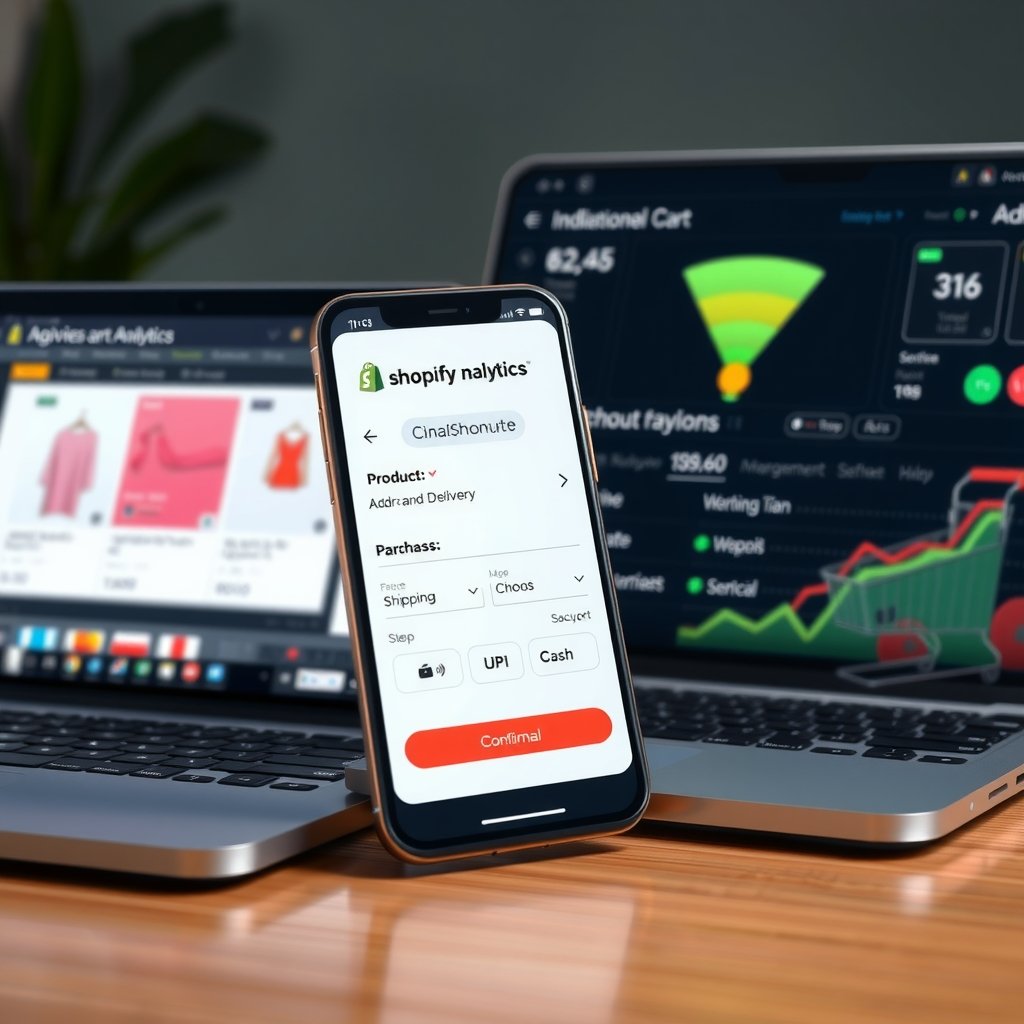
A shopper in Gurgaon adds a ₹2,499 skincare bundle to her cart during a lunch break, enters her address, and discovers a delivery charge only at the payment stage. Another customer in Bengaluru selects UPI, switches to a banking app, and returns unsure whether the order succeeded. These are ordinary checkout problems, not necessarily problems with product demand. For Indian direct-to-consumer brands, shopify checkout optimization means removing uncertainty between purchase intent and a confirmed order without sacrificing payment reliability, customer privacy, or margins. Gurgaon, officially Gurugram, provides a useful setting because local merchants often serve both nearby NCR customers and buyers across India.
📋 Table of Contents
The challenge is broader than making a checkout look cleaner. Your store must handle mobile screens, apartment addresses, six-digit PIN codes, prepaid payments, cash on delivery, and delivery expectations that change by location. A promise suitable for a serviceable Gurgaon neighbourhood may be unrealistic for a destination outside your courier network. Discounts, shipping fees, and payment restrictions must remain consistent from the product page to the final order summary. Otherwise, a customer attracted by a ₹1,999 offer can feel misled when the payable amount changes unexpectedly.
This first half of the guide explains what checkout optimization actually covers, how Shopify plan limitations affect implementation, and how to prioritise improvements using evidence rather than assumptions. You will learn a practical setup process, suitable measurement tools, mobile and payment best practices, and performance benchmarks. Illustrative calculations use INR, while operational examples reference Gurgaon and other Indian cities. The emphasis is on changes you can verify, maintain, and connect to profitable completed orders.
Understanding shopify checkout optimization
Identify friction across the complete buying journey
Shopify checkout optimization is a funnel improvement discipline, not simply a checkout redesign. Customers form expectations before reaching checkout. Product availability, discount conditions, delivery estimates, and return information influence whether they proceed confidently. A fast product page cannot compensate for an unexplained shipping charge, while a visually polished checkout cannot repair a misleading promotion. Review the journey from product selection through payment confirmation as one connected experience.
Start by separating abandoned carts from abandoned checkouts. Someone who adds an item to a cart might still be comparing products. Someone who begins checkout has taken a different action. Neither group automatically represents a technical failure. Shopify reports and Google Analytics 4 can help identify where activity declines, but differences in consent, tracking coverage, and event definitions mean the totals will not always match.
- Price uncertainty: A ₹1,499 item with ₹99 shipping has a ₹1,598 payable total before any additional applicable charges. Show the shipping rule early enough that customers can understand it before entering payment details.
- Delivery uncertainty: A Gurgaon shopper may expect a different delivery window from a customer in Chennai. Base estimates on fulfilment location, dispatch cut-offs, courier coverage, and actual operating capacity.
- Payment uncertainty: Customers need to understand whether UPI, cards, netbanking, or COD are available for their order. Availability can depend on the gateway, order value, destination, or merchant rules.
- Address friction: Apartment names, tower numbers, and landmarks matter for delivery, but unnecessary mandatory fields increase effort. Keep essential address requirements clear and explain any genuinely necessary additional information.
- Confirmation uncertainty: A payment debit without an obvious order confirmation creates anxiety. Reliable gateway status handling and understandable customer communication matter as much as the payment button.
Consider an illustrative funnel with 1,000 checkout starts and 600 completed orders. Its checkout completion rate is 60%. If completed orders rise to 650 from the same number of checkout starts, the rate becomes 65%: an increase of five percentage points, not five percent. This distinction matters when presenting results to a founder or finance team. It is a calculation example, not a promised improvement or a Gurgaon market benchmark.
Segment the funnel by mobile versus desktop, new versus returning customers, and payment method where reliable data is available. A store serving Delhi, Mumbai, and Hyderabad should also investigate regional differences without assuming that every city needs its own checkout design.
Understand Shopify’s supported customization boundaries
Before commissioning development, establish which changes your Shopify plan supports. Standard plans provide checkout branding and configuration options, but they do not offer unrestricted access to the checkout’s underlying markup. Checkout UI extensions on the information, shipping, and payment steps require Shopify Plus. Other extension surfaces have their own eligibility requirements, so evaluate the exact feature rather than treating every checkout-related app as equivalent.
For a growing Gurgaon merchant, substantial improvements may come from configuring existing capabilities: clear shipping rates, appropriate payment methods, accurate discounts, and consistent delivery communication. These changes should normally precede an expensive custom build. Shopify Plus becomes relevant when a verified requirement needs supported checkout extension points or deeper customization, not merely because a team wants another promotional banner.
Shopify Functions are a separate customization mechanism used for supported business logic, such as certain discount, delivery, payment, and validation requirements. Availability varies by Function API, plan, app distribution method, and feature. Do not assume that all Functions are Plus-only, or that every custom Function can be deployed on every plan. Check the specific implementation route before approving a development budget.
For example, displaying a delivery explanation in the cart is different from inserting a custom block inside the payment step. Similarly, setting a standard free-shipping rate is different from writing conditional delivery logic. Document the business requirement first, then identify the least complex supported solution. Avoid tutorials that depend on unrestricted checkout JavaScript injection or legacy checkout modifications; they are not a reliable foundation for a maintainable 2026 implementation.
Implementation Guide
Establish a measurable baseline and configure the essentials
Begin with an audit of the live buying journey using test orders and controlled scenarios. Record the Shopify plan, payment gateway, shipping configuration, discount rules, active apps, and theme version. Capture what a customer actually sees rather than relying only on settings screens. A promotion can look correct in the admin while behaving differently when combined with another eligible discount.
- Define the primary outcome. Use completed orders divided by checkout starts for checkout completion, with consistent reporting definitions. Keep overall store conversion separate. Also record payment failures, average order value, refund activity, and COD return-to-origin performance where your systems support reliable measurement.
- Instrument the funnel. Use Shopify Analytics alongside Google Analytics 4, commonly called GA4. Implement customer events through Shopify’s supported pixel mechanisms or an appropriate integration. Verify that purchase events are not duplicated and that transaction identifiers are handled consistently.
- Review payable totals. Check a ₹999 order, a ₹2,499 order, and a basket near your free-shipping threshold. Confirm that discounts, shipping, and applicable taxes produce the expected result. Test combinations rather than each setting in isolation.
- Check destinations. Use valid test addresses representing Gurgaon, Noida, Bengaluru, and another destination relevant to your business. Verify shipping availability against your actual fulfilment arrangements. Do not infer courier serviceability merely because a city is generally well connected.
- Test payment states. Where the gateway provides suitable facilities, test success, failure, cancellation, and pending outcomes. A successful payment test alone does not demonstrate that customers receive clear guidance when authorization fails or remains unresolved.
- Publish a controlled change. Preserve the previous configuration and record the release date. Change one meaningful variable where practical, such as shipping disclosure or unnecessary cart fields, so subsequent results remain interpretable.
Keep personal information out of analytics payloads. Names, complete addresses, phone numbers, and payment details should not be sent to GA4 as event parameters. Apply appropriate consent controls and understand the data practices of installed apps. Cleaner measurement is useful only when it respects the customer and the platform’s requirements.
For mobile testing, include an actual Android device and an iPhone where available. Desktop emulation helps with layout, but it cannot fully reproduce switching into a UPI app and returning to the browser. Use gateway-approved testing procedures; never ask staff to share PINs or credentials to complete an audit.
Select tools, versions, and a supported development route
A practical toolkit combines reporting, performance diagnostics, and supported development tools. GA4 supplies event-based analytics; Google PageSpeed Insights provides performance diagnostics for publicly accessible storefront pages; and Chrome DevTools supports device emulation and network inspection. These tools answer different questions. None independently proves that a gateway integration or courier configuration is correct.
For a reproducible performance audit, Lighthouse 12 is an example of a versioned diagnostic tool that can be pinned in a testing workflow. It is not presented here as the latest release. Record the actual Lighthouse version, device profile, network settings, and tested URL in your audit. PageSpeed Insights may use a different engine version over time, so avoid comparing scores from different environments as if they were identical experiments.
For custom apps, use Shopify CLI and select a Node.js runtime that meets the requirements of your chosen CLI release. Node.js 22 LTS is a versioned runtime option to evaluate against those requirements, not a substitute for checking them. Record the exact CLI release in project documentation and dependency management. Shopify is a hosted platform rather than a merchant-installed software package, so there is no meaningful store-wide “Shopify 2026 version” to install.
Shopify’s checkout UI extension documentation includes the dated 2026-01 API version. Treat that as a concrete version example, then confirm the supported version and migration requirements when deploying. API versions are specific to the relevant API surface; an Admin API version and a checkout UI extension version should not be treated as interchangeable configuration.
- Confirm eligibility. Identify the extension target, required plan, and any protected customer data requirements before development begins.
- Build in a suitable development store. Use Shopify CLI to scaffold the supported extension type and work with the generated project structure rather than copying an outdated checkout snippet.
- Keep the interface focused. Add only information that solves a demonstrated checkout problem. A concise delivery explanation is usually more useful than several competing promotional blocks.
- Test alternate paths. Check supported accelerated payment flows, discounts, address changes, and navigation back to previous steps. Do not assume an extension appears or behaves identically in every checkout route.
- Deploy with rollback preparation. Retain the previous app release or checkout configuration and document how to disable the change if errors appear.
Code examples are deliberately unnecessary for this baseline implementation. Shipping configuration, reporting setup, and payment testing should be completed through the appropriate supported interfaces. Introduce custom code only when the requirement, plan eligibility, extension target, and maintenance responsibility are clear.
After working with 50+ Indian SMEs on shopify checkout optimization implementations, companies investing ₹3-5 lakhs upfront save ₹15-20 lakhs over 12 months. Choose the right tech stack from day one - reactive decisions cost 3-5x more.
Best Practices for shopify checkout optimization
Make mobile checkout transparent, usable, and trustworthy
Effective shopify checkout optimization reduces the number of decisions a customer must resolve before paying. That does not mean hiding important information or making every interaction shorter at any cost. A shopper buying a ₹4,999 appliance needs confidence about delivery and returns; a customer buying a ₹599 accessory needs confidence that additional charges will not overwhelm the purchase value.
- Do reveal shipping conditions before checkout. If free delivery starts at ₹1,999, communicate the threshold consistently on relevant storefront surfaces. For a ₹1,799 basket, the difference is ₹200. Do not encourage an additional purchase without explaining the resulting payable total and delivery benefit accurately.
- Do support guest purchasing where appropriate. Review customer account settings and avoid requiring registration without a genuine business need. Do not confuse an optional account experience with a mandatory obstacle placed before payment.
- Do keep essential delivery fields clear. Customers should understand where to enter their flat number and building name. Do not add mandatory demographic questions, marketing preferences, or unrelated profile fields to the buying journey.
- Do prioritise legibility and accessibility. Check text contrast, labels, visible error messages, and touch interaction on small screens. Do not communicate a problem solely through colour or expect customers to infer what an ambiguous validation message means.
- Do state realistic delivery expectations. Use verified operational information for Gurgaon and other destinations. Do not display “delivery tomorrow” merely because the customer is nearby; stock availability, dispatch cut-offs, holidays, and courier capacity still apply.
- Do limit interruptions. Keep storefront pop-ups and cart upsells subordinate to checkout progression. Do not let a discount wheel, support widget, or repeated subscription prompt obscure the button customers need.
Review language with the same care as layout. “Shipping calculated at checkout” may be technically accurate but insufficient when customers expect to know whether a small order carries a ₹79 or ₹149 charge. Where exact costs depend on destination, explain that dependency and provide whatever reliable estimate or policy your setup supports.
Use truthful trust signals. Display gateway branding only when the corresponding payment option is genuinely integrated and available. Avoid unsupported security claims, fabricated reviews, and delivery guarantees your operations team cannot honour. Trust comes from consistency between the promise, the payable amount, the payment result, and the delivered order.
Remember that storefront speed and hosted checkout performance are different scopes. Theme scripts, large images, and excessive app loading can slow the journey into checkout. However, merchants cannot freely rewrite Shopify’s hosted checkout internals. Optimise what you control and use supported checkout configuration or extension mechanisms for the remainder.
Evaluate payment reliability and profitability together
Payment choice should reflect your customers and operating model. Razorpay, Cashfree Payments, and PayU are real providers relevant to Indian merchants, but a provider’s general product catalogue does not prove that every method is available through its current Shopify integration. Verify onboarding eligibility, integration support, enabled methods, settlement terms, and commercial charges directly before making changes.
- Do test UPI beyond the initial selection. Verify app switching, browser return, cancellation, and the order’s final state. Do not interpret a customer leaving the browser for a UPI app as automatic abandonment.
- Do distinguish failed from pending payments. Give customers appropriate status information through the supported checkout and gateway experience. Do not suggest immediate repayment when the first attempt may still be processing; that can create duplicate-payment concerns.
- Do evaluate COD using fulfilled-order economics. Measure confirmation, dispatch, delivery, and return-to-origin outcomes. Do not celebrate a higher placed-order rate if undelivered parcels erase the margin.
- Do compare prepaid incentives with their cost. A ₹50 prepaid discount on a ₹2,000 order equals 2.5% of order value. Do not assume it is profitable without comparing the incentive against relevant payment costs, COD handling costs, and expected delivery outcomes.
- Do separate fee categories. Gateway processing charges, Shopify third-party transaction fees where applicable, taxes, refunds, and logistics costs are not interchangeable. Do not present a gateway headline rate as the complete cost of accepting an order.
- Do maintain clear payment restrictions. If COD is unavailable for certain destinations or order conditions, disclose the rule as early as the supported setup allows. Do not advertise universal COD and withdraw it without explanation at the final step.
- Do monitor meaningful segments after release. Review mobile traffic, returning customers, payment methods, and high-value baskets where the data is trustworthy. Do not conclude that a change worked from one unusually strong sales day.
Set success criteria before implementing a change. If an experiment reduces address errors but slows checkout completion, evaluate both outcomes. If a promotion improves paid orders but reduces contribution margin, the revenue increase alone does not establish commercial value. Use comparable periods and consider traffic source, campaign mix, stock availability, and seasonality before attributing a result to checkout changes.
For low-volume stores, statistical certainty may take longer than expected. Avoid declaring a winner after a handful of purchases. Use structured usability observations and operational error reports alongside quantitative results, while clearly distinguishing observed problems from assumptions. Maintain an implementation log so your team can connect changes to subsequent behaviour without relying on memory.
Comparison Table
The following comparison uses published web performance thresholds rather than invented conversion uplift figures. It is useful for diagnosing the storefront journey leading into checkout. The first three metrics are Core Web Vitals; FCP and TTFB are supporting diagnostics. Apply field-data classifications at the 75th percentile and review mobile and desktop separately. Lab measurements help investigate problems but do not replace real-user evidence.
| Performance metric | Good threshold | Poor threshold |
|---|---|---|
| Largest Contentful Paint, or LCP | 2.5 seconds or less | More than 4.0 seconds |
| Interaction to Next Paint, or INP | 200 milliseconds or less | More than 500 milliseconds |
| Cumulative Layout Shift, or CLS | 0.1 or less; unitless score | More than 0.25; unitless score |
| First Contentful Paint, or FCP | 1.8 seconds or less | More than 3.0 seconds |
| Time to First Byte, or TTFB | 0.8 seconds or less | More than 1.8 seconds |
Values between the good and poor thresholds fall into the needs-improvement range. These benchmarks come from Google’s web performance guidance; they are not Shopify plan guarantees, payment gateway service-level commitments, or Gurgaon-specific averages. A page can meet them and still lose orders through unclear delivery charges or unreliable payment handling. Use them alongside checkout completion, payment status accuracy, and fulfilled-order profitability to decide which intervention deserves priority.
Many Indian businesses skip proper testing in shopify checkout optimization projects to save 2-3 weeks, leading to production bugs costing ₹2-5 lakhs in lost revenue. Always allocate 25% of budget for QA.
Advanced Techniques
Once the basics are working, shopify checkout optimization becomes a disciplined exercise in removing friction without weakening trust, payment reliability or operational controls. For Gurgaon businesses serving customers across India, checkout decisions should account for mobile-first shopping, UPI habits, address quality, delivery coverage and cash-on-delivery preferences. Treat every change as a measurable hypothesis: identify a specific point of friction, change one meaningful element, and compare results for equivalent traffic before making it permanent.
Scaling Strategies for Growing Stores
Design checkout operations for the next stage of growth rather than only for the current order volume. Start by segmenting performance by device, acquisition channel, customer type, order value, location and payment method. A Gurgaon customer paying by UPI on a phone may encounter different barriers from a returning customer in Bengaluru using a saved card. Segmenting helps teams avoid broad changes that improve one group while hurting another. Where the store configuration and Shopify plan permit, use supported checkout extensibility features and app blocks to add relevant information or functionality; avoid building around deprecated or unsupported customizations.
Make delivery expectations explicit before the payment step. Use reliable pincode serviceability checks and communicate realistic delivery ranges for Gurgaon, Delhi, Noida and other served locations. If a product is unavailable in a particular area, surface that information early rather than letting a customer complete most of checkout before discovering the restriction. For cash on delivery, consider clear, proportionate controls such as order-value limits or verification for unusual orders, and measure their effects on both fraud and completion. Keep GST invoices, business details, shipping charges and return policies understandable and consistent with the actual order.
At higher volume, coordinate changes across marketing, customer support, fulfilment and finance. A checkout that promises next-day delivery when warehouse cut-off times cannot support it creates avoidable cancellations and support costs. Maintain a rollout checklist, document the previous configuration, and introduce significant changes to a controlled share of eligible traffic when practical. Set guardrails for checkout completion, payment failures, average order value, refunds and COD returns. Scaling is successful when the experience remains dependable during campaigns and operational teams can fulfil what the storefront promises.
Performance Optimization and Expert Tips
Checkout speed is partly a technical concern and partly a relevance concern. Audit storefront pages that lead into checkout for oversized images, unnecessary third-party scripts, duplicated tracking and slow-loading product widgets. These elements can delay a shopper before checkout even begins. Use Shopify’s available performance reporting and browser testing on common mid-range Android devices and mobile networks, not just a fast office connection. Remove or defer nonessential scripts where supported, and verify that analytics and advertising pixels fire correctly without creating duplicate events. Keep a baseline so that a faster-looking page is not mistaken for a real improvement in completed orders.
Experts should test changes against a defined metric and a defined audience. For example, compare a concise delivery message with the existing message among mobile shoppers in serviceable pincodes, while monitoring checkout completion and support contacts. Avoid testing multiple major changes simultaneously: if payment ordering, discount messaging and form content all change together, the result will be difficult to interpret. Account for seasonality, campaign mix and sample size before drawing conclusions. A small store may need a longer test window than a high-traffic retailer.
Use payment and order data to investigate failure points. Separate abandoned checkouts from payment declines, gateway errors, customer cancellations and orders that later fail fulfilment. Offer the payment methods customers actually use, including UPI, cards and other supported options, but do not assume that adding more choices automatically improves conversion. Display discounts accurately, test coupon handling, and make any conditions visible before the customer commits. Finally, maintain a rollback plan and review results after deployment. Reliable shopify checkout optimization is an ongoing cycle of measurement, careful implementation and operational follow-through—not a one-time visual redesign.
Real World Case Study
The following anonymized example describes an illustrative engagement with a Bangalore-based direct-to-consumer home and lifestyle company selling across India. The company had a growing customer base in Karnataka, Maharashtra, Delhi NCR and Haryana, including Gurgaon. Its Shopify store attracted substantial paid and organic traffic, but many shoppers who added products to their carts did not complete checkout. The figures below are presented as a consistent case-study scenario to show how a team can structure an eight-week improvement program; individual store outcomes will vary with product, traffic, pricing and fulfilment.
Before the engagement, the store averaged 10,000 monthly checkout starts and 5,300 completed orders, a 53% checkout completion rate. Mobile visitors represented 76% of checkout starts, but mobile completion was only 48%, compared with 69% on desktop. Payment failure and abandonment analysis showed that 14% of initiated payments did not result in an order, while customer interviews frequently mentioned unclear delivery timing and uncertainty about payment options. Average order value was ₹2,400. The company spent approximately ₹6.8 lakh per month on paid acquisition, but inconsistent event tracking made it difficult to attribute completed orders and qualified enquiries reliably.
Week 1-2: Discovery
The team audited the complete journey from product page to confirmation, checked mobile usability on commonly used devices, reviewed Shopify analytics and gateway reports, and reconciled advertising events with actual orders. Support tickets and cancellation reasons were grouped by theme. The discovery phase identified redundant marketing scripts, a delivery estimate shown too late in the journey, discount-code confusion and a payment retry experience that did not clearly guide customers after a failed transaction. The team also found that some campaign traffic included shoppers outside the store’s current delivery coverage. Rather than immediately changing checkout, the team agreed on definitions for checkout starts, completed orders, payment failures, qualified leads and return on ad spend (ROAS).
Week 3-4: Implementation
The implementation focused on supported Shopify settings and extensions. The store clarified shipping charges and delivery expectations earlier, reorganized payment options based on observed customer usage, and made its UPI, card and COD information easier to understand. The team simplified discount messaging and removed a redundant script after confirming it was not needed for core operations. It corrected duplicate purchase-event reporting and added a clear, useful recovery message for eligible payment failures. For Gurgaon and other serviceable areas, pincode and delivery information was made more visible before customers invested time in checkout. Changes were reviewed with fulfilment and finance teams to ensure the storefront did not promise unsupported delivery speeds or misstate taxes.
Week 5-6: Optimization
With the core changes live, the team compared device and channel segments and made a measured adjustment to the mobile delivery message. A controlled review of payment outcomes found that a clearer retry instruction reduced confusion without encouraging repeated charges. The team also refined COD eligibility for higher-risk order patterns and tracked any effect on legitimate orders. Campaign landing pages were checked for consistency between advertised discounts and checkout totals. Throughout this phase, the team monitored checkout completion, payment success, average order value, cancellations, support contacts and lead quality. It avoided treating a rise in checkout starts alone as proof of success.
Week 7-8: Results
At the end of the eight-week period, checkout completion had improved from 53% to 77.9%, a relative improvement of approximately 47%. Mobile checkout completion rose from 48% to 72%. Reported payment failures fell from 14% to 8%, while average order value increased from ₹2,400 to ₹2,520. Better event reconciliation and campaign targeting reduced wasted advertising spend by ₹3.2 lakh over the measured period. The updated campaign and recovery journey generated 183 qualified leads, and measured paid-media ROAS reached 2.7x. These results were assessed against the agreed baseline and attribution definitions; they are not a guarantee of what another merchant will achieve.
| Metric | Before | After | Change |
|---|---|---|---|
| Checkout completion | 53% | 77.9% | 47% relative improvement |
| Mobile checkout completion | 48% | 72% | 24 percentage-point increase |
| Payment failures | 14% | 8% | 6 percentage-point reduction |
| Average order value | ₹2,400 | ₹2,520 | ₹120 increase |
| Wasted advertising spend | Baseline audit | ₹3.2 lakh saved | Measured savings |
| Qualified leads | Not reliably attributed | 183 | Tracked during program |
| Paid-media ROAS | Inconsistent tracking | 2.7x | Measured after reconciliation |
The main lesson was that checkout performance depended on more than the checkout page. Better delivery communication, trustworthy payment recovery, accurate analytics and campaign quality worked together. For a Gurgaon merchant, the same method can be applied while accounting for its own serviceability map, customer mix and fulfilment constraints.
Common Mistakes to Avoid
1. Adding unnecessary checkout fields. Asking for information that is not needed to fulfil an order increases effort, especially on mobile, and may lead shoppers to leave. If 200 monthly orders are lost and the average order value is ₹2,400, the potential gross sales at stake are ₹4.8 lakh per month before accounting for margin or recovery. Review every field with operations and compliance teams, retain what is genuinely necessary, use supported address and contact features, and measure completion before and after removing optional friction.
2. Hiding delivery costs or timelines until late. A customer who discovers an unexpected shipping charge or an unsuitable delivery date at checkout may abandon the order and lose confidence in the store. If 100 orders of ₹2,400 are lost monthly, that represents ₹2.4 lakh in potential sales, not guaranteed profit. Display applicable charges and realistic delivery ranges early, validate pincode coverage, and avoid promising faster delivery than warehouse capacity allows. Check that promotional landing pages and checkout communicate the same terms.
3. Treating COD as either risk-free or unacceptable. Removing COD without evidence can exclude customers who prefer it; leaving every high-risk order unexamined can increase failed deliveries and return costs. For example, 40 returned orders with ₹350 in combined shipping and handling costs can create a direct monthly impact of ₹14,000, before inventory handling or lost selling opportunities. Track COD completion and return rates by order value, location and customer history. Apply transparent, proportionate eligibility rules and test their effect on legitimate purchases.
4. Installing apps and scripts without measuring their cost. Multiple pop-ups, chat tools and tracking tags can slow the storefront, duplicate events or conflict with one another. If slower or confusing pages contribute to losing just 50 orders of ₹2,400 each, potential sales lost are ₹1.2 lakh per month. Inventory every integration, identify its owner and purpose, remove tools that do not support a clear business need, and retest performance and analytics after each change. Do not assume an app improves conversion simply because it adds a feature.
5. Making changes without a reliable baseline. A discount or checkout redesign may appear successful during a high-intent sale even if the change itself had little effect. If ₹1 lakh in advertising is directed to poorly attributed or unserviceable traffic, the spend can be wasted without revealing why. Define events consistently, reconcile orders with payment and advertising reports, and segment outcomes by device, channel and geography. Change one major variable at a time where possible, allow enough traffic for a meaningful comparison, and document a rollback path. This makes each optimization easier to evaluate and prevents teams from scaling a change based on a misleading short-term spike.
Frequently Asked Questions
What does shopify checkout optimization mean for an Indian store?
shopify checkout optimization means improving the path from a shopper’s decision to purchase through successful payment and order confirmation, while keeping the experience accurate and trustworthy. For an Indian store, that often includes mobile usability, clear delivery charges, reliable serviceability information, appropriate UPI and card options, transparent COD terms, accurate GST details and understandable discount conditions. It also includes diagnosing payment failures and ensuring analytics record the actual result rather than duplicate or incomplete events. The right changes depend on the store’s customer behaviour and operational capability; adding every possible feature is not the goal. A useful starting point is to compare completion rates by device, payment method and acquisition channel, then investigate the largest verified drop-off. Changes should be tested against completed orders and relevant guardrail metrics such as cancellations, refunds and support contacts.
Can I fully customize Shopify checkout on every plan?
Checkout customization depends on Shopify’s current platform capabilities, the merchant’s plan and the feature being considered. Many important improvements can be made through supported settings, branding controls, shipping configuration, payment setup and compatible app or extension functionality. Some deeper checkout extensibility capabilities may be limited to particular plans or use cases, so merchants should verify current eligibility in their Shopify admin and official platform documentation before committing to a design. Do not base a new project on unsupported theme hacks, deprecated checkout scripts or assumptions that every storefront page can be edited like a theme template. A practical approach is to list the customer problem first, identify the supported solution, and test it in a safe environment where available. Keep the checkout accessible and reliable, and confirm that any customization works with payment, tax, shipping and order-management flows.
Which payment methods should a Gurgaon Shopify store offer?
Offer payment methods that match the preferences and completion outcomes of your actual customers, while ensuring each method is supported by your Shopify setup and payment providers. Many Indian shoppers expect UPI and cards, while COD remains useful for some product categories and customer segments. The right combination is not identical for every store. Review checkout starts, payment attempts, successful orders, failed transactions, chargebacks and COD returns by method. Make payment choices easy to understand and avoid presenting a long, confusing list without evidence that it helps. If you introduce a new method, check whether the payment flow is stable on mobile and whether the order is correctly recorded in analytics. Explain any COD conditions before the final step. A Gurgaon business should also make sure its delivery coverage and fulfilment procedures support the locations and order types it accepts.
How can I reduce checkout abandonment on mobile?
Begin by observing real mobile sessions and comparing mobile checkout completion with desktop, broken down by traffic source and payment method. Test on common Android devices and ordinary mobile connections, because a polished experience on a high-end phone may hide problems shoppers actually encounter. Make delivery charges, expected arrival ranges and payment options clear before the shopper reaches the final decision. Remove optional fields and distractions only when they are not needed for fulfilment or compliance. Check that buttons, address entry, discount application and payment recovery behave correctly at small screen sizes. Review page speed and third-party scripts on the product and cart pages leading into checkout as well as checkout itself. Finally, measure completed orders, payment success and cancellations after changes. A lower abandonment rate is useful only if it does not come at the cost of inaccurate orders or avoidable fulfilment problems.
How much should a business budget for checkout improvements?
Budget depends on the store’s current configuration, complexity, traffic, analytics quality and whether work requires development, app subscriptions or internal staff time. A small store may achieve meaningful gains by fixing unclear shipping information, correcting analytics or removing an unnecessary script, while a complex operation may need specialist implementation and careful quality assurance. Establish the business case using contribution margin and actual losses, not just top-line revenue. For example, estimate how many failed or abandoned orders might plausibly be recovered, then compare that opportunity with implementation and ongoing costs. Avoid buying multiple apps before identifying the underlying issue; app fees can accumulate without improving results. Include time for discovery, implementation, testing and monitoring in the budget. After launch, review payment failures, conversion, refunds and support costs to determine whether the investment is producing durable value rather than a temporary change in traffic or average order value.
How soon can I expect results from shopify checkout optimization?
There is no universal timeline. A straightforward fix, such as clarifying a shipping charge or correcting an analytics event, can produce observable changes soon after enough eligible shoppers encounter it. More substantial work may require several weeks for discovery, implementation, controlled comparison and operational review. The amount of traffic matters: a store with fewer checkout starts needs more time to distinguish a genuine effect from normal variation. Seasonal sales, ad campaigns, inventory availability and changes in customer mix can also affect results, so comparisons should use consistent definitions and account for these influences. Monitor intermediate signals such as payment success and field errors, but use completed orders and business outcomes to decide whether a change is worthwhile. Set expectations around learning as well as uplift; a well-designed test that shows a proposed change does not help can prevent larger losses from scaling it prematurely.
🚀 Ready to Implement This?
Get expert help from ShivatechDigital. 200+ Indian businesses already grew with our technology solutions.
Book Free expert consultation →⚡ Response within 24 hours | 🇮🇳 Trusted by Indian businesses
Conclusion
shopify checkout optimization gives Gurgaon retailers a practical way to turn more qualified shopping journeys into successfully fulfilled orders. The strongest improvements usually come from addressing verified friction: mobile usability, payment reliability, clear delivery expectations, accurate measurement and a checkout experience that matches what operations can deliver. Results should be judged across the entire order journey, including cancellations, returns and customer support, rather than by checkout starts alone. Every store has different products, traffic sources and customer preferences, so use your own evidence to choose priorities and validate the effect of each change. Keep the experience straightforward, explain costs and timelines honestly, and use Shopify-supported capabilities appropriate to your setup. Three actionable next steps are:
- Establish a baseline for checkout completion, mobile performance, payment failures, COD outcomes and cancellations, segmented by channel and location.
- Choose the largest measurable friction point, implement one supported change, and review its effect on completed orders and customer experience.
- Schedule a recurring review with marketing, support and fulfilment teams so checkout promises, tracking and operational capacity stay aligned.
10+ years experience helping 200+ businesses across Delhi, Noida, Greater Noida, Ghaziabad and Kanpur grow through technology. Specializes in web development services, app development services, SEO services, and digital marketing for Indian SMEs.







0
No comments yet. Be the first to comment!