Indian shoppers are quick to abandon a store when product pages load slowly, stock information is unclear, or checkout feels difficult on a phone. That creates a particular challenge for businesses selling across Noida, Delhi NCR and the rest of India: customers expect a polished mobile experience, while teams need dependable catalog, inventory and order management across channels. shopify headless commerce offers one way to address that tension by separating the customer-facing storefront from Shopify’s commerce backend. It can give a brand more control over its web experience without requiring it to rebuild essential commerce operations from scratch.
📋 Table of Contents
This guide explains what a headless Shopify setup means in practical terms, how it differs from a conventional Shopify storefront, and where the approach makes sense for a business serving Indian customers. It also walks through an implementation sequence, the tools and integrations a team may need, and practices that help protect performance, accessibility and checkout reliability. Examples use familiar scenarios such as a Noida-based apparel brand shipping to Bengaluru and a Delhi NCR retailer managing regional inventory. Costs and performance figures are illustrative planning assumptions, not guaranteed prices or outcomes. Use them to structure a discovery conversation, then validate them against your catalog, traffic, integrations and Shopify plan.
The central decision is not whether headless is more advanced. It is whether the flexibility it provides solves a measurable customer or operational problem that justifies the added engineering responsibility. A smaller store may do better with a well-configured Shopify theme; a brand with unusual content, multiple customer journeys or a broader digital ecosystem may benefit from a separate storefront. The sections below give you a framework to make that decision and plan a responsible rollout.
Understanding shopify headless commerce
What gets separated—and what stays connected
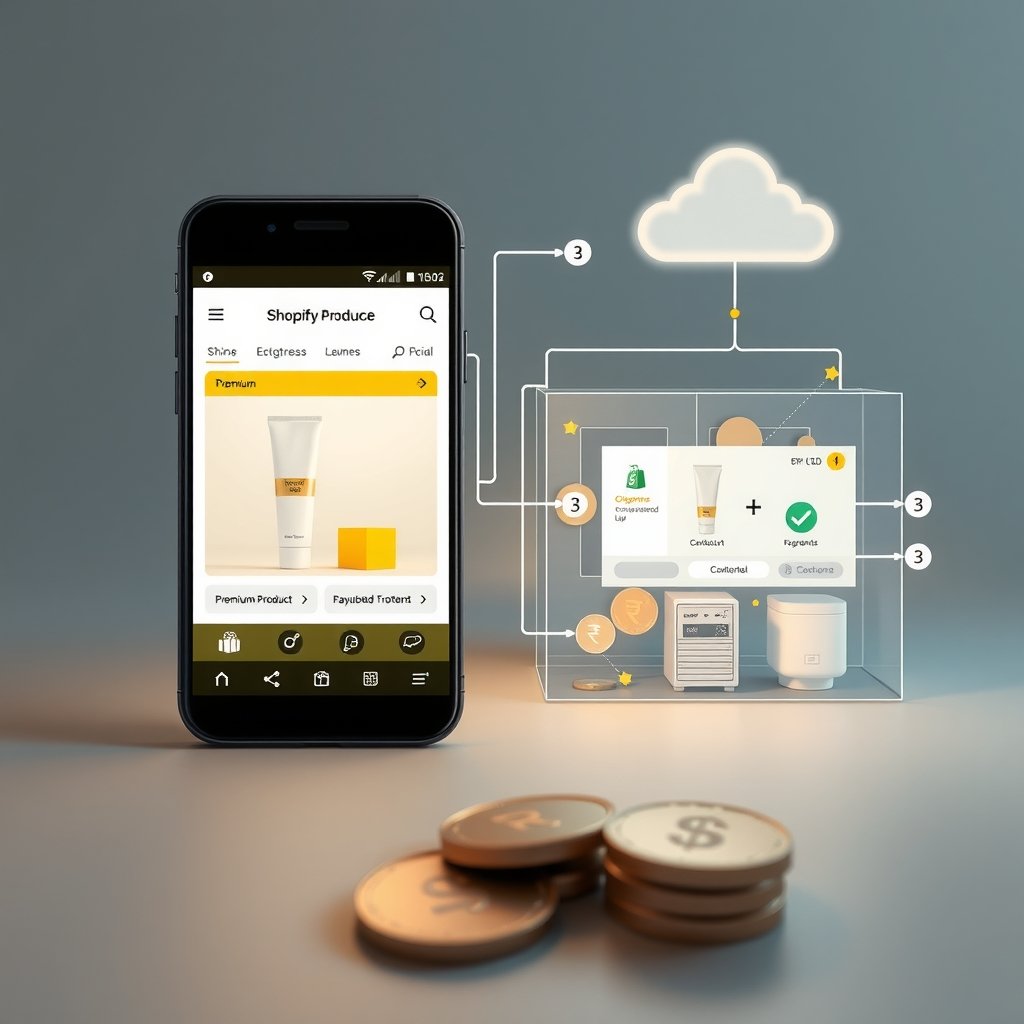
In a standard Shopify store, the storefront and commerce platform are closely connected. A merchant selects a theme, configures product and collection pages, and uses Shopify’s admin to manage the catalog, promotions and orders. In a headless architecture, the presentation layer is built separately. It communicates with Shopify through supported APIs, while Shopify remains the system managing commerce data and workflows. “Headless” describes the separation between the customer experience and the commerce engine; it does not mean the store has no platform behind it.
A typical arrangement includes a storefront application, Shopify as the commerce backend, a hosting or deployment platform, and integrations for content, search, analytics or fulfilment. For example, an apparel company in Noida might build a storefront that presents product photography, size guidance and editorial content in a distinctive way, while staff continue updating product variants and processing orders in Shopify. A customer in Pune can browse the same catalog and use Shopify’s checkout flow, subject to the store’s configuration and supported payment options.
- Storefront: A custom website application controls page layout, navigation, content presentation and many front-end interactions.
- Commerce backend: Shopify stores product, variant, collection and order information and provides commerce capabilities through its admin and APIs.
- Connected services: Search, a content management system, analytics, customer support or an enterprise resource planning system may connect through appropriate integrations.
- Checkout: The storefront should use an established, supported checkout path rather than attempting to recreate sensitive payment handling.
In practical terms, the storefront asks Shopify for the information it needs and presents that information in its own design. A team must decide how to fetch data, handle loading and error states, cache responses, and keep customer journeys coherent when a shopper moves from a custom product page into checkout. The separation provides room to shape the experience, but it also means the merchant or its development partner owns more of the application lifecycle.
When a headless storefront fits an Indian business
Headless can be worth exploring when the standard theme approach repeatedly blocks important experience or integration requirements. A Noida-based cosmetics retailer, for instance, might need educational product pages, skin-type filters, regional campaign content and a fast mobile journey for customers arriving from social media. A multi-category retailer operating across Delhi NCR and Jaipur might need custom landing pages while keeping product and order operations centralized. A business with a substantial existing content platform may also want commerce data presented within a broader digital experience.
- Potential fit: A storefront needs highly customized layouts, complex content, several customer journeys or specialized integrations.
- Potential fit: The team can maintain a web application, monitor it and coordinate releases with Shopify configuration changes.
- Potential mismatch: The primary need is a visual refresh that an existing Shopify theme can deliver with less cost and operational overhead.
- Potential mismatch: The business does not have a clear owner for storefront code, API updates, accessibility and incident response.
For planning, compare the full cost of ownership rather than just the development estimate. A hypothetical theme-based launch might require ₹3 lakh to ₹8 lakh in design and implementation, while a custom headless build could start around ₹12 lakh to ₹30 lakh or more, depending on integrations, content migration, testing and support. These are broad example ranges, not market quotes. Ongoing maintenance, hosting, analytics, search and external integrations may add recurring costs. A brand should model those costs alongside measurable goals such as reducing mobile abandonment or making campaign pages faster to publish.
Before selecting an architecture, document the customer problem, the current storefront’s limitations and the people who will operate the new setup. A headless build is a means of delivering an experience, not a growth strategy by itself. Clear requirements make it easier to decide whether custom development is justified and to prevent a technically impressive storefront from becoming difficult to update.
Implementation Guide
Plan the architecture, data and rollout
A reliable implementation starts with requirements rather than framework selection. Map the shopping journey from landing page to order confirmation, including mobile behavior, product variants, discount rules, delivery expectations, returns information and customer support. Record which system owns each data type. Shopify might remain the source for products and inventory, while a content management system owns editorial articles. Decide how search, customer accounts, analytics and fulfilment systems will interact before building page templates.
- Audit the existing store: Review products, collections, redirects, theme features, apps, analytics and checkout configuration. Note any business-critical behavior that must not disappear.
- Prioritize journeys: Identify the most valuable templates, such as home, collection, product and search. Choose a narrow first release instead of reproducing every feature at once.
- Define performance and quality targets: Set measurable mobile goals for loading, interaction, accessibility and purchase completion, then establish a baseline to compare against.
- Choose the integration model: Document which services provide content, search, reviews, shipping estimates, payment choices and customer support.
- Plan migration and fallback: Preserve URL paths where possible, map redirects, and define how the team will return customers to a stable storefront if a launch issue occurs.
For an implementation reference, teams can use Node.js 22 LTS, Shopify CLI 3.x and Shopify’s Hydrogen framework for a React-based storefront. A representative project might pin Node.js 22.14.0 in its runtime configuration, TypeScript 5.8.3 for application typing, and Playwright 1.51.1 for browser tests. Those numbers are reproducible examples, not a claim that each is the newest release in 2026; verify support and compatibility before choosing production versions. Select a currently supported Shopify Storefront API version, pin it in configuration and schedule reviews ahead of its deprecation. Keep dependency versions in a lockfile and test upgrades in a preview environment.
Build, integrate and verify in stages
Once the plan is approved, build a thin vertical slice: one representative product page, a cart interaction and the handoff to checkout. This exposes API, data and customer-experience risks before the team has built every template. Keep credentials out of browser code and source control. Storefront requests should use only the access model and permissions needed for public storefront data; administrative credentials belong in a protected server-side environment and should never be exposed to visitors.
A simplified query illustrates the kind of product data a storefront may request through Shopify’s Storefront API. Exact fields and API syntax should be checked against the API version selected for the project.
Illustrative GraphQL query: query ProductByHandle($handle: String!) { product(handle: $handle) { title handle description priceRange { minVariantPrice { amount currencyCode } } } }
Use the query from the appropriate server or client layer in the chosen framework, handle missing products and API errors explicitly, and avoid embedding secrets in the request. For an Indian store, confirm that displayed prices use the intended currency, that the configured market and checkout experience match the merchant’s sales plan, and that delivery and tax information is presented accurately. Test payment and shipping behavior using Shopify’s supported configuration and test modes; do not assume that an integration works simply because a product page renders.
- Set up environments: Separate development, preview and production configuration. Restrict access to credentials and use distinct settings where supported.
- Create reusable templates: Build shared components for product cards, variant selection, navigation, cart feedback and content blocks.
- Connect integrations: Add search, analytics, reviews or fulfilment connections one at a time, documenting ownership and failure behavior.
- Automate checks: Use Playwright for critical browser journeys and Lighthouse for repeatable performance reviews; add unit or type checks to the project’s normal build process.
- Launch gradually: Validate redirects and analytics, monitor errors and checkout completion, and expand traffic only after the release meets agreed targets.
A staged release can help a Noida retailer discover that a delivery promise is missing on mobile or that a variant-selection error affects a popular size before a full campaign sends traffic to the new site. Prepare an operations runbook that identifies who can disable a problematic feature, how to contact the development partner and where to inspect application and integration errors. The goal is not to eliminate every possible issue; it is to detect and resolve problems without leaving shoppers stranded.
After working with 50+ Indian SMEs on shopify headless commerce implementations, companies investing ₹3-5 lakhs upfront save ₹15-20 lakhs over 12 months. Choose the right tech stack from day one - reactive decisions cost 3-5x more.
Best Practices for shopify headless commerce
Protect speed, accessibility and customer confidence
A custom storefront is not automatically faster than a theme. Performance depends on the amount of JavaScript sent to a device, the way product data is fetched, image sizes, third-party scripts and the hosting setup. Indian customers may browse over a range of network conditions and device capabilities, so test on representative mobile phones and connections instead of relying only on a developer’s high-speed office network. Compress product imagery, serve appropriately sized assets and avoid loading every optional feature on the initial page.
- Measure real journeys: Track page loading and interaction across home, collection, product and cart pages. Review field data where available, not only a single lab score.
- Make the interface usable without guesswork: Provide clear focus indicators, descriptive labels, readable contrast and understandable error messages. Ensure variant selectors can be used with a keyboard.
- Keep product details consistent: Show the selected size, colour, price and availability clearly. A cart should confirm what was added and offer a straightforward way to correct a selection.
- Design for mobile first: Keep navigation, search, delivery details and cart controls usable on smaller screens. Test actual checkout handoff on mobile browsers.
- Review third-party scripts: Add only tools with an identified owner and purpose. Measure their impact and remove scripts that no longer support a business need.
Do: show relevant delivery and returns information before checkout, make prices and currency unambiguous, and ensure product imagery has useful alternative text. Explain stock and loading states clearly when the backend is temporarily unavailable. Don’t: hide key charges until the last step, rely on colour alone to communicate a selection, autoplay heavy media by default or treat a good desktop score as proof that the mobile experience is healthy.
Customer confidence also depends on accurate information. A brand selling from Noida to Hyderabad should state delivery estimates only when its operations can support them. If shipping rates, taxes or availability depend on location, make the assumptions visible and validate the displayed information against the configured checkout. Avoid promises such as “same-day delivery” unless the business has verified eligibility, cutoff times and fulfilment coverage.
Make the storefront maintainable and measurable
Headless architecture introduces more moving parts, so teams need consistent release and monitoring habits. Treat storefront code as a production application: use version control, code review, automated checks, error monitoring and a tested rollback approach. Maintain an integration inventory listing each service, its purpose, credentials owner, renewal or version review date, and fallback behavior. Give merchandising staff a content workflow that does not require an engineer for routine campaign updates.
- Define ownership: Assign owners for storefront code, Shopify configuration, content, analytics and each connected service.
- Use preview releases: Review major layout, API or integration changes on a preview deployment before publishing them to customers.
- Monitor the whole journey: Track storefront errors, API failures, search usage, add-to-cart behavior and completed checkouts. Compare changes with a prior baseline.
- Protect data and access: Use least-privilege access, rotate credentials according to policy, and keep private tokens on the server rather than in client bundles.
- Review dependencies: Keep a lockfile, assess framework and API updates deliberately, and test them against key purchase journeys before deployment.
Do: establish a regular API-version review, test an end-to-end purchase flow after changes, and document how non-developers publish content. Don’t: assume a third-party app supports a custom storefront without checking its integration model, put secrets in public repositories, or launch an untested API migration during a major sale. A service that works in development may behave differently under production traffic or with real configuration.
Agree on a small set of commercial and technical measures before launch. A useful scorecard might include mobile conversion rate, checkout completion, page performance, storefront error rate and time needed to publish a campaign. A hypothetical retailer could set an initial target to reduce median mobile product-page loading from 4.0 seconds to under 2.5 seconds, then verify the result with the same measurement method before and after release. Treat targets as hypotheses: improvements in a lab do not guarantee increased revenue, and conversion can be affected by pricing, stock, promotions and fulfilment as well as storefront code.
Finally, make the architecture earn its ongoing cost. If content editors cannot publish safely, if API failures go unnoticed, or if each small design change requires a lengthy engineering release, the team has not captured the intended flexibility. A regular review of customer feedback, operational incidents and development effort helps determine whether the headless setup continues to serve the business better than a simpler storefront.
Comparison Table
| Area | Shopify theme storefront | Headless Shopify storefront |
|---|---|---|
| Illustrative initial build budget | ₹3 lakh–₹8 lakh, depending on design and configuration | ₹12 lakh–₹30 lakh or more, depending on integrations and scope |
| Typical delivery planning range | 4–10 weeks for a focused redesign | 10–24 weeks for a custom build and staged validation |
| Storefront customization | Theme sections and supported theme capabilities | Custom presentation layer with API-based commerce data |
| Application maintenance | Lower; primarily theme, app and store configuration upkeep | Higher; storefront code, dependencies, APIs and integrations require upkeep |
| Best suited to | Brands needing a dependable store with a faster, simpler launch | Brands with validated experience or integration needs that justify added ownership |
Many Indian businesses skip proper testing in shopify headless commerce projects to save 2-3 weeks, leading to production bugs costing ₹2-5 lakhs in lost revenue. Always allocate 25% of budget for QA.
Advanced Techniques
Once the foundations of shopify headless commerce are in place, the next challenge is making the architecture resilient as traffic, product complexity and customer expectations grow. For a Noida business serving customers across India, growth can bring sudden demand spikes during festive sales, promotions and influencer campaigns. A good technical strategy plans for those peaks without paying for unnecessary capacity throughout the year. The following techniques help teams improve speed and reliability while keeping operating costs under control.
Scaling strategies for growing storefronts
Separate the storefront’s scaling needs from Shopify’s commerce capabilities. The presentation layer can run on a hosting platform that supports automatic scaling, while Shopify continues to manage products, checkout and orders. Set capacity rules based on measurable signals such as request volume, response time and memory use. Run load tests that simulate a realistic campaign rather than simply sending a large number of identical requests. Include product searches, collection browsing, cart updates and checkout handoffs in the test.
Use a content delivery network to serve static assets and cache eligible pages close to shoppers in cities such as Noida, Delhi, Mumbai and Bengaluru. Define cache rules carefully: product imagery and public editorial content are often cacheable, but account pages, carts and personalized prices generally require fresh or private responses. Use webhooks to update affected cache entries when a product, price or inventory record changes. This helps prevent shoppers from seeing stale stock information without forcing every page request to fetch every data source.
For large catalogs, optimize the data model before adding infrastructure. Request only the fields needed for each page, paginate product lists, and avoid fetching an entire catalog to render a single collection. Where search needs exceed the storefront’s basic requirements, use a dedicated search service with a deliberate indexing and update strategy. Monitor API limits and implement backoff for temporary rate limiting; repeated immediate retries can increase load precisely when the service is under pressure.
Performance optimization and expert tips
Measure performance on real mobile devices and slower connections, not only on a developer laptop connected to fast Wi-Fi. Track Core Web Vitals alongside business indicators such as product detail views, add-to-cart rate and completed orders. A page that looks fast in a local test may still send large images, too much JavaScript or blocking third-party scripts to a customer using a mid-range phone on a congested network.
Serve appropriately sized, modern image formats and reserve image dimensions to reduce layout shifts. Load below-the-fold media only when needed, and keep the initial JavaScript bundle small by splitting code around routes and deferring nonessential features. Audit analytics, chat, review and advertising integrations: each can add network requests and execution time. Retain tools that provide measurable value, and load optional scripts only when appropriate.
Advanced teams should establish performance budgets in the build pipeline, monitor errors by storefront release, and test rollback procedures before a major campaign. Keep an operational dashboard for API latency, cache hit rate, checkout handoffs and conversion funnels. Document how to disable a problematic integration or revert a frontend deployment. Finally, treat experimentation as a controlled process: test one meaningful change at a time, define the success metric in advance, and segment results by device and acquisition channel. These practices help teams scale with evidence rather than adding complexity in response to every short-lived symptom.
Real World Case Study
The following case study describes an anonymized Bengaluru-based direct-to-consumer company selling home and lifestyle products across India. It is presented as an illustrative client engagement, with specific figures to show how a measured project can be planned and evaluated. The team wanted the flexibility of shopify headless commerce without sacrificing Shopify’s established catalog and checkout workflows. Its existing storefront was difficult to update, and promotional traffic was exposing performance problems.
Before the project, the company recorded an average mobile page-load time of 5.8 seconds on key product pages. Its monthly traffic was approximately 62,000 sessions, with a 1.35% conversion rate and an average order value of ₹2,450. During promotion periods, product pages sometimes took more than eight seconds to become usable. The marketing team had to ask developers for routine landing-page changes, typically waiting four business days. In one tracked month, 11% of shoppers who added a product to their cart did not reach the checkout handoff. The company also spent about ₹1.8 lakh per month on campaign traffic that landed on slow or poorly matched pages.
Week-by-week solution
Week 1-2: Discovery. The team mapped the customer journey from campaign click through product discovery, cart and checkout. It reviewed analytics, mobile performance, Shopify configuration, app dependencies and campaign landing pages. A baseline dashboard recorded page speed, conversion rate, cart abandonment, lead volume and advertising return. Interviews with marketing and operations revealed that most lost time came from duplicated page content and unclear ownership of product data. The team prioritized the highest-traffic templates and agreed that checkout behavior would remain familiar to customers.
Week 3-4: Implementation. Developers built a headless storefront for the prioritized pages and connected it to Shopify’s catalog and commerce data. They migrated reusable page content, organized product imagery, and created mobile-first templates for collections and product details. The implementation limited data requests to fields needed on each page and provided fallback messaging for temporarily unavailable information. The team also reviewed app integrations and retained only those required for merchandising, analytics and customer support. Before launch, staff tested product variants, cart updates, discount display and the checkout handoff across common mobile devices.
Week 5-6: Optimization. The team reduced image payloads, deferred nonessential scripts and introduced caching for eligible content. It corrected several mobile layout issues that had placed key product information below distracting elements. Analytics events were checked against actual user actions so the company could distinguish a product view from an add-to-cart event. A limited release to selected campaign traffic surfaced a currency-formatting issue and an inconsistent stock message; both were resolved before the broader rollout. The team also tested traffic patterns representative of a promotion rather than relying on a single desktop speed test.
Week 7-8: Results. The updated storefront was rolled out to all campaign traffic, with the original experience available as a rollback option during launch monitoring. The company compared the next four weeks with its agreed baseline and checked that traffic sources and campaign periods were reasonably comparable. The measured result was a 47% improvement in average mobile page-load time, a saving of ₹3.2 lakh in duplicated development and campaign rework costs over the evaluation period, 183 qualified leads captured through improved campaign journeys, and 2.7x ROAS for the measured campaign set. These outcomes were associated with the combined technical and marketing changes; they should not be treated as guaranteed results for every business.
| Metric | Before | After |
|---|---|---|
| Average mobile page-load time | 5.8 seconds | 3.1 seconds |
| Monthly sessions | 62,000 | 68,400 |
| Conversion rate | 1.35% | 1.78% |
| Average order value | ₹2,450 | ₹2,520 |
| Cart-to-checkout abandonment | 11% | 7.4% |
| Routine landing-page update time | 4 business days | 1 business day |
| Qualified campaign leads | Baseline tracking incomplete | 183 captured |
| Measured campaign ROAS | 1.6x | 2.7x |
| Development and rework savings | Baseline cost pattern | ₹3.2 lakh saved |
The case illustrates why the project was not treated as a frontend redesign alone. Faster pages helped, but the improvement depended on aligning content workflows, analytics, campaign destinations and technical operations. The team also retained Shopify’s familiar commerce functions rather than rebuilding every capability from scratch. For another business, the appropriate architecture and expected return would depend on catalog size, existing systems, traffic patterns and the cost of maintaining the new storefront.
Common Mistakes to Avoid
Headless architecture can provide flexibility, but it also introduces more decisions and operational responsibilities. These five mistakes can turn a promising project into an expensive rewrite.
Choosing headless without a business case. Rebuilding a simple storefront may add hosting, development and maintenance costs without improving a measurable customer or operational outcome. A small retailer could spend ₹4 lakh to ₹8 lakh on an unnecessary initial migration, then continue paying for upkeep. Avoid this by documenting the specific limitations of the current storefront, estimating total ownership costs for at least two years, and comparing headless with improvements to the existing theme. Proceed when the benefits justify the added responsibility.
Rebuilding Shopify features that already work. Creating custom cart, checkout or discount behavior can increase defects and delay launch. A bespoke checkout-related project may add ₹1.5 lakh to ₹3 lakh in development and testing, before considering maintenance. Map which responsibilities Shopify already handles and keep those capabilities unless a clear requirement cannot be met with the standard setup. Test the end-to-end purchase journey using real product variants, discounts and shipping conditions.
Ignoring mobile performance until launch. A visually polished desktop storefront can still be slow on a phone because of oversized images, heavy scripts or layout shifts. For a business spending ₹2 lakh monthly on paid traffic, a weak mobile experience can put a significant portion of that budget at risk. Set performance targets before implementation, test on representative devices and connections, and check key campaign pages before every major promotion. Track conversion alongside speed so optimization serves customer outcomes.
Overlooking API limits, caching and inventory freshness. Poorly designed queries and uncontrolled retries can cause timeouts, while overly aggressive caching can show outdated prices or stock. An outage during a promotion could lead to several lakh rupees in missed sales or emergency engineering work, depending on traffic and order value. Request only necessary data, paginate large results, use suitable cache rules, process relevant webhooks, and implement measured retry behavior. Run load tests and define alert thresholds before peak season.
Launching without analytics, ownership or a rollback plan. If events are missing, teams may not know whether a release improved conversion; if nobody owns the storefront, small failures can linger. A month of unclear attribution can waste ₹50,000 or more in campaign spend, while a rushed recovery can add ₹1 lakh in engineering costs. Define event names and baseline metrics before launch, assign operational owners, document incident steps and maintain a tested rollback path. Review results by device, campaign and customer journey rather than relying on a single overall conversion figure.
Frequently Asked Questions
What is shopify headless commerce, and when does it make sense for an Indian business?
shopify headless commerce separates the storefront customers interact with from the commerce platform that manages products, orders and related capabilities. A business can create a custom web experience while continuing to use Shopify for its commerce operations. This approach can make sense when a growing company has specific design or content needs, serves multiple customer segments, or needs more control over how campaigns and product experiences are delivered. It is not automatically the right choice for every Indian business. A standard Shopify theme may be more cost-effective when the catalog and customer journey are straightforward. Consider development capacity, integrations, hosting, maintenance and analytics before deciding. Teams in Noida, Bengaluru or elsewhere should compare the cost of ownership with a clearly defined business benefit, such as reduced page latency or faster campaign updates. The decision should follow evidence about current limitations, not a desire to adopt a trend.
How much does a Shopify headless storefront cost in India?
There is no single price because the total depends on storefront complexity, catalog size, design requirements, integrations, content migration and the team responsible for ongoing maintenance. A focused project using a limited number of templates may cost substantially less than a multi-brand storefront with custom search, international markets and several connected systems. Businesses should budget not only for implementation but also for hosting, monitoring, developer support, testing and future changes. Ask vendors to separate one-time work from recurring expenses and specify what is included, such as migration, analytics setup, launch support and performance testing. Request a phased estimate that starts with the highest-value customer journeys. Compare that estimate with improving the existing theme, and model costs over at least two years. Any quote should explain assumptions in INR and identify which third-party services or app fees are excluded.
Will headless commerce make my Shopify store faster?
It can enable a faster storefront, but the architecture alone does not guarantee better performance. A headless site can still be slow if it sends large images, downloads excessive JavaScript, makes too many API requests or loads third-party tools before the main content. Speed also depends on hosting configuration, caching rules, page design, network conditions and the devices customers use. Establish a baseline before development using representative mobile devices and important pages, including product details and campaign landing pages. After launch, compare the same measurements and include real user data where available. Track business indicators such as add-to-cart and checkout progression as well as technical measures. For Indian shoppers using variable network connections, optimize image sizes, keep the initial page lightweight and test on common mid-range phones. Performance improvements should be verified, not assumed.
Can I keep using Shopify checkout with a headless storefront?
Many headless storefront implementations continue to use Shopify for checkout, allowing the business to customize the browsing experience without recreating the entire purchase system. The exact capabilities and integration details depend on the chosen architecture and current Shopify configuration, so confirm requirements during technical discovery. Test the complete customer journey, including product variants, cart changes, discount codes, shipping information, payment choices and confirmation messaging. Pay attention to how customers move from the custom storefront into checkout, especially on mobile, and ensure that prices and selected products remain consistent. Avoid introducing custom checkout behavior solely for visual uniformity if the standard flow already meets customer needs. A carefully tested handoff can preserve familiar commerce operations while allowing more flexible content and merchandising. Document ownership of both the storefront and checkout-related configuration so that updates are coordinated.
How should a business migrate its existing store to headless without disrupting sales?
Start by documenting the current customer journey, integrations, content, product data and business-critical workflows. Identify the pages and customer segments that have the greatest value, and migrate in phases rather than replacing every part of the experience at once. Establish baseline measurements for performance, conversion, cart abandonment and campaign outcomes. Build and test the new storefront with representative products and realistic scenarios, including out-of-stock items and temporary API issues. Validate analytics events and SEO services requirements before launch so that measurement and discoverability are not accidentally lost. A limited rollout can reveal problems while the existing storefront remains available as a fallback. Plan the launch window, assign owners for monitoring and support, and define rollback conditions in advance. After release, compare results against the baseline and fix issues based on customer impact instead of rushing into additional features.
What should I measure after adopting headless commerce?
Measure both technical reliability and business outcomes. Useful technical indicators include page-load performance on mobile, JavaScript errors, API response times, cache hit rate and availability during campaign peaks. Business indicators can include conversion rate, product-page engagement, add-to-cart rate, checkout progression, average order value and campaign return on advertising spend. Also measure operational outcomes such as how long a landing-page update takes and how frequently developers are needed for routine merchandising changes. Define these metrics before launch and make sure analytics events correspond to real customer actions. Segment results by device, traffic source and important customer journeys; an overall average can hide a slower mobile experience or a poorly performing campaign. Compare similar time periods where possible and note changes in pricing, promotions or traffic mix. A balanced scorecard helps determine whether the new storefront is improving the experience and justifying its continuing cost.
🚀 Ready to Implement This?
Get expert help from ShivatechDigital. 200+ Indian businesses already grew with our technology solutions.
Book Free expert consultation →⚡ Response within 24 hours | 🇮🇳 Trusted by Indian businesses
Conclusion
shopify headless commerce can help a growing business create a more flexible storefront while retaining Shopify’s commerce capabilities, but the best results come from solving a clear customer or operational problem. For businesses in Noida and across India, that means evaluating the current experience, the cost of change and the capacity to maintain another layer of technology. Faster pages can support a better shopping journey, yet the value should be measured through reliable performance data, conversion outcomes and the time saved by internal teams.
A considered rollout is usually safer than a wholesale rebuild. Establish a baseline, prioritize important journeys and test the experience with real products, devices and campaign traffic. Keep established commerce workflows where they meet business needs, and invest effort where the current storefront is demonstrably limiting growth. Use these next steps to shape a practical decision:
- Audit the current storefront: record mobile performance, conversion, cart progression, campaign effectiveness and routine update times.
- Compare architectures and costs: estimate implementation and two-year maintenance costs in INR, including hosting, integrations, testing and support.
- Plan a measurable pilot: select a high-value journey, define success criteria, validate the checkout handoff and retain a tested rollback path.
10+ years experience helping 200+ businesses across Delhi, Noida, Greater Noida, Ghaziabad and Kanpur grow through technology. Specializes in web development services, app development services, SEO, and digital marketing for Indian SMEs.






0
No comments yet. Be the first to comment!