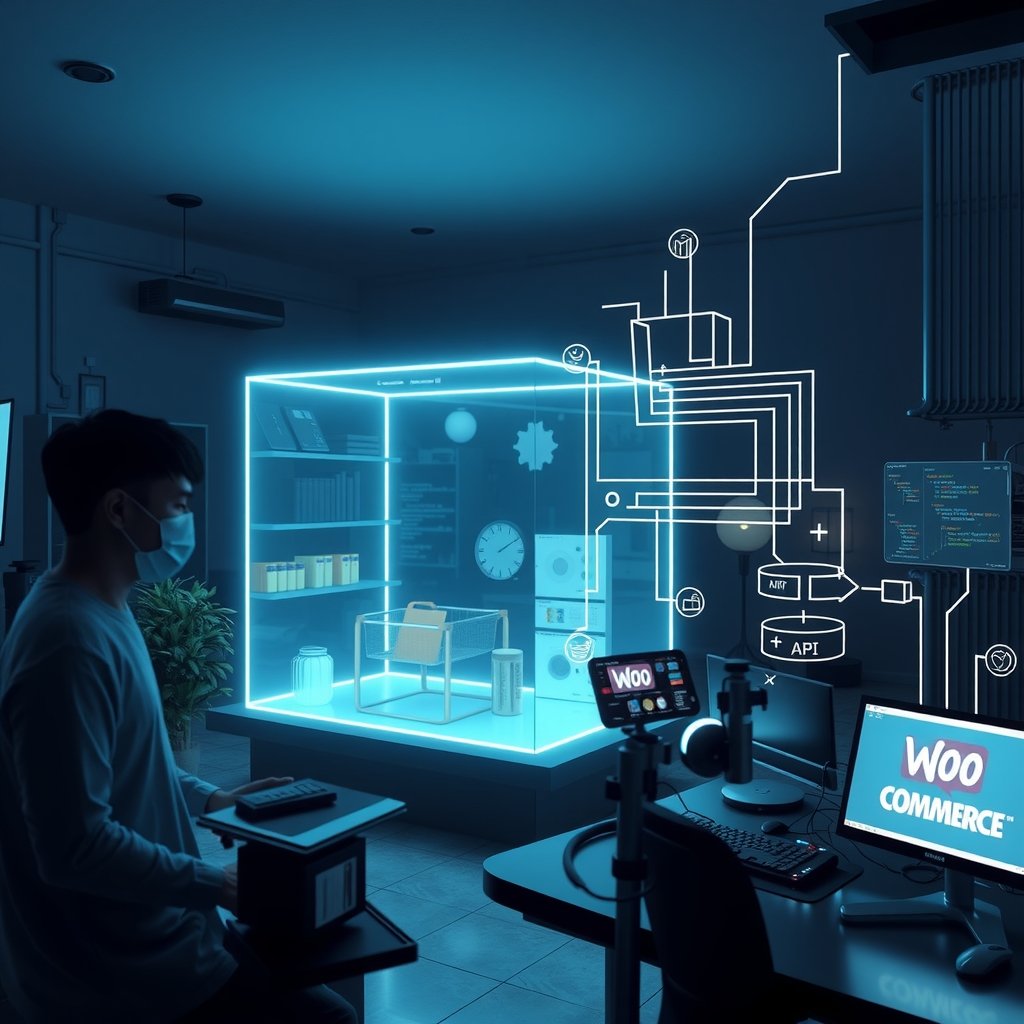
Indian D2C brands are entering 2026 with a familiar problem: traffic is growing, ad costs are rising, but storefront speed, checkout flexibility, and content control are not keeping up. A fashion label in Mumbai, an ayurvedic brand in Jaipur, or an electronics seller in Bengaluru may already be running WooCommerce, yet the default theme stack often struggles when campaign traffic spikes during Diwali, Republic Day sales, or IPL-led promotions. This is where headless woocommerce nextjs becomes a practical architecture choice, not just a developer trend. It separates the WooCommerce backend from the customer-facing frontend, allowing brands to keep WordPress for products, orders, taxes, coupons, and operations while using Next.js for a fast, flexible, mobile-first buying experience.
📋 Table of Contents
In this guide, you will learn how Indian brands can plan, build, and operate a headless WooCommerce storefront using Next.js in 2026. We will cover what the architecture means, how it works with real ecommerce workflows, which tools and versions are relevant, what implementation steps matter, and how to avoid common mistakes around performance, payments, GST, SEO services, and inventory. The focus is not theory. It is written for founders, ecommerce managers, CTOs, and implementation teams who need practical guidance for stores selling across Delhi NCR, Pune, Hyderabad, Chennai, Kolkata, and tier-2 Indian markets where mobile speed and trust directly affect conversion.
Understanding headless woocommerce nextjs
What headless WooCommerce means for Indian ecommerce teams
Headless WooCommerce means WooCommerce continues to work as the commerce engine, but the storefront is no longer controlled by a traditional WordPress theme. Products, categories, prices, stock, coupons, users, and orders remain inside WordPress and WooCommerce. The customer-facing website is built separately in Next.js, usually consuming data through the WooCommerce REST API, WordPress REST API, GraphQL through WPGraphQL, or a custom middleware layer.
For Indian brands, this architecture is valuable because many teams already have years of product data, order history, GST settings, shipping rules, and operational workflows inside WooCommerce. Replatforming to a completely new commerce system can cost ₹8 lakh to ₹40 lakh depending on catalogue size, integrations, and migration risk. A headless approach allows the brand to modernise the frontend while keeping familiar backend operations intact.
- Example 1: A skincare brand in Bengaluru keeps WooCommerce for inventory, Razorpay payments, Shiprocket shipping, and GST invoices, while Next.js powers a faster storefront for mobile shoppers.
- Example 2: A saree retailer in Surat uses WordPress for content-rich collection pages, but builds a Next.js frontend to handle image-heavy product pages with better Core Web Vitals.
- Example 3: A food and wellness brand in Delhi uses WooCommerce coupons and subscriptions, while Next.js creates region-specific landing pages for Delhi NCR, Mumbai, and Hyderabad campaigns.
- Example 4: A home decor seller in Jaipur keeps its warehouse team on the existing WooCommerce dashboard and upgrades only the frontend experience before the festive season.
The main shift is ownership of the customer experience. In a traditional WooCommerce site, the theme, plugins, page builders, and PHP rendering pipeline control how pages load. In a headless build, Next.js controls routing, rendering, caching, layout, and frontend performance. WooCommerce becomes the system of record, while Next.js becomes the high-performance presentation layer.
Why Next.js is commonly paired with WooCommerce
Next.js is popular for headless commerce because it supports server-side rendering, static generation, incremental regeneration, API routes, image optimisation, and modern React-based development. In 2026, many Indian ecommerce brands care deeply about mobile performance because a large share of traffic comes from Android phones on mixed network quality. A slow product detail page can increase drop-offs before the shopper even reaches the add-to-cart button.
With Next.js, teams can pre-render category pages, cache product data, optimise images, and deliver a smoother buying journey. For a brand spending ₹3 lakh per month on Meta Ads and Google Ads, even a small conversion improvement can have measurable commercial value. If monthly revenue is ₹25 lakh and conversion improves from 1.4% to 1.8%, the architecture investment may pay back faster than a complete platform migration.
- Speed: Next.js 15 can serve product listing pages quickly using static rendering and revalidation strategies.
- Flexibility: Developers can create custom product configurators, city-specific pricing messages, and campaign landing pages without fighting theme limitations.
- SEO control: Teams can manage metadata, clean URLs, structured content blocks, and server-rendered pages more reliably than many heavy page builder setups.
- Omnichannel readiness: The same WooCommerce backend can support a website, mobile app, kiosk experience, or marketplace-like microsite.
- Operational continuity: Store managers can continue using WooCommerce for products, orders, coupons, and stock without learning a new backend from scratch.
The architecture is not automatically cheaper or simpler. A basic WooCommerce theme site may cost ₹1.5 lakh to ₹5 lakh, while a serious headless WooCommerce Next.js build for an Indian D2C brand can range from ₹7 lakh to ₹35 lakh depending on payment flows, ERP integration, custom design, SEO migration, and analytics requirements. The right decision depends on business scale, performance needs, internal technical capability, and the cost of current platform limitations.
Implementation Guide
Planning the architecture and data flow
A successful implementation starts with a clear architecture map. Many projects fail because the team starts coding product pages before deciding how cart, checkout, payments, authentication, coupons, shipping rates, and order creation will work. For an Indian brand, this planning must include GST, pincode serviceability, COD availability, UPI payments, prepaid discounts, RTO risk, and regional fulfilment rules.
- Audit the current WooCommerce setup: List all active plugins, payment gateways, shipping plugins, product types, custom fields, tax rules, coupon rules, and checkout customisations. Pay special attention to plugins like Razorpay for WooCommerce, Cashfree Payments, Shiprocket, Delhivery, Zoho Inventory, Tally integrations, and GST invoice generators.
- Choose the API approach: Use WooCommerce REST API for standard product, order, and customer workflows. Use WPGraphQL 1.26 with WPGraphQL WooCommerce where flexible querying is needed. Use custom WordPress endpoints when plugin data is not exposed cleanly.
- Define rendering strategy: Use static generation for stable pages like categories, server-side rendering for dynamic inventory-sensitive pages, and incremental static regeneration for product pages that need freshness without full rebuilds.
- Map checkout ownership: Decide whether checkout remains on WooCommerce, is embedded through custom APIs, or is fully rebuilt in Next.js. For many Indian mid-market brands, keeping WooCommerce checkout initially reduces payment and tax risk.
- Plan hosting and caching: Host Next.js on Vercel, AWS Amplify, Netlify, or a managed Node.js environment. Host WordPress separately on Cloudways, Kinsta, WP Engine, or an Indian cloud provider using Mumbai region where latency matters.
A common 2026 stack for a mid-sized Indian brand can include WordPress 6.6, WooCommerce 9.x, PHP 8.3, MySQL 8, Next.js 15, React 19, Node.js 22 LTS, TypeScript 5.6, Tailwind CSS 3.4, Vercel or AWS Mumbai infrastructure, Razorpay 2.x APIs, Shiprocket API, Google Analytics 4, Meta Pixel through server-side events, and Search Console for indexing checks.
For security, never expose WooCommerce consumer secrets directly in browser-side code. API keys must stay on the server, either inside Next.js server actions, route handlers, or a backend middleware service. Public frontend code should call your own secure endpoint, not the WooCommerce admin API directly.
Building the frontend and commerce workflows
Once planning is complete, implementation should move in layers. The safest path is to build read-only catalogue pages first, then cart, then checkout, then customer account flows. This reduces risk because product discovery can be tested without immediately touching order creation and payment settlement.
- Create the Next.js project: Start with Next.js 15, TypeScript, ESLint, and a clean app router structure. Keep reusable commerce logic in a dedicated services directory.
- Connect product APIs: Fetch product lists, categories, prices, images, stock status, and variations from WooCommerce. Cache responses carefully so sale prices and stock do not become stale during high-demand campaigns.
- Design product listing pages: Build category grids, filters, sort options, search entry points, and collection banners. For a Mumbai fashion brand, filters such as size, colour, fabric, occasion, and price range are usually essential.
- Build product detail pages: Include image galleries, variant selection, offer messaging, delivery estimate by pincode, return policy, GST-inclusive pricing, and trust badges for prepaid and COD orders.
- Implement cart logic: Store cart state securely, validate prices server-side, apply WooCommerce coupons through backend calls, and recalculate totals before checkout.
- Integrate checkout: Connect shipping methods, address validation, payment gateway initiation, order creation, and payment confirmation. For India, validate phone numbers, pincodes, state codes, and GST billing data if B2B orders are supported.
A simple server-side product fetch pattern can be represented as text inside the project documentation: create a server function that reads WooCommerce credentials from environment variables, calls the products endpoint, normalises the response, and returns only fields needed by the frontend such as id, slug, name, price, sale price, stock status, images, and category names. This keeps the browser payload lighter and prevents admin credentials from leaking.
Testing should include more than happy paths. Check out-of-stock variants, failed UPI payments, COD-disabled pincodes, invalid coupons, cart price changes, tax-inclusive display, guest checkout, logged-in checkout, and abandoned payment recovery. A Hyderabad electronics brand selling ₹12,999 headphones cannot afford incorrect tax or stock handling during a weekend sale. A Kolkata sweets brand shipping perishables must verify serviceability and dispatch cut-offs before accepting prepaid orders.
After working with 50+ Indian SMEs on headless woocommerce nextjs implementations, companies investing ₹3-5 lakhs upfront save ₹15-20 lakhs over 12 months. Choose the right tech stack from day one - reactive decisions cost 3-5x more.
Best Practices for headless woocommerce nextjs
Performance, SEO, and reliability practices
Headless architecture creates more control, but it also creates more responsibility. In a traditional WooCommerce theme, many behaviours are handled by plugins. In a headless build, the implementation team must deliberately recreate or replace required behaviours. Performance and SEO should be treated as core requirements from day one, not as post-launch cleanup.
- Do optimise mobile-first pages: Most Indian ecommerce sessions happen on mobile. Keep product cards lightweight, compress images, avoid unnecessary JavaScript, and test on mid-range Android devices, not only MacBook browsers.
- Do use image optimisation: Use Next.js image optimisation or a dedicated image CDN. A saree product page with 12 high-resolution images can easily cross 8 MB if the team uploads direct camera exports.
- Do design cache rules by page type: Category pages can often be cached longer than stock-sensitive product pages. Cart and checkout pages should not be statically cached.
- Do preserve SEO URLs: If an existing WooCommerce store has rankings, maintain URL structure where possible. If URL changes are unavoidable, prepare redirects before launch.
- Do generate accurate metadata: Product title, description, canonical URL, open graph images, and availability signals should match real product data.
- Do monitor Core Web Vitals: Track LCP, INP, and CLS in Google Search Console and a real user monitoring tool such as SpeedCurve, Datadog RUM, New Relic, or Vercel Analytics.
There are clear mistakes to avoid. Do not fetch all products client-side for every category page. Do not depend on browser-only rendering for important SEO pages. Do not allow stale prices during flash sales. Do not hide delivery charges until the final step if competitors show transparent pricing earlier. Do not ignore redirects from old WordPress URLs, because losing organic traffic can erase the benefit of a faster frontend.
For Indian brands, performance targets should be realistic but strict. Aim for product listing pages under 2.5 seconds LCP on 4G, product detail pages under 3 seconds LCP, cart interactions under 200 ms perceived response where possible, and checkout API responses under 1 second for common flows. These numbers depend on hosting, plugin quality, database size, API design, and frontend implementation, but they give business teams a measurable benchmark.
Operational, payment, and maintenance practices
The biggest risk in headless WooCommerce projects is not the homepage. It is the operational detail behind orders, returns, payments, invoices, warehouse updates, and customer support. A beautiful Next.js frontend can still fail commercially if orders do not sync properly with WooCommerce, payment status is unclear, or support teams cannot trace customer issues.
- Do keep WooCommerce as the source of truth: Product IDs, order IDs, stock, taxes, and customer records should remain consistent. Avoid creating a separate shadow commerce database unless there is a strong architectural reason.
- Do validate totals server-side: Never trust cart totals from the browser. Recalculate product price, coupon discount, shipping, tax, and payable amount before payment initiation.
- Do handle payment webhooks: Razorpay, Cashfree, PayU, and PhonePe payment states should be confirmed through secure server-side verification, not only frontend redirects.
- Do build admin visibility: Customer support teams in Pune, Noida, or Chennai should be able to see whether an order is pending payment, paid, failed, cancelled, packed, shipped, or refunded.
- Do plan rollback: Keep the old WooCommerce theme available during launch week. If checkout fails under live traffic, a controlled rollback is better than losing orders.
- Do document plugin dependencies: Maintain a list of WooCommerce plugins still required after going headless, including their role, version, renewal cost, and API impact.
Do not move every feature to custom code at once. If a proven WooCommerce plugin handles GST invoicing reliably, keep it until the business case supports replacing it. Do not bypass payment gateway verification to make checkout appear faster. Do not let frontend developers change order statuses without understanding fulfilment workflows. Do not forget COD risk rules for high-RTO locations, especially if the brand sells low-margin products under ₹999.
Maintenance should be budgeted clearly. A headless WooCommerce Next.js setup may need ₹75,000 to ₹3 lakh per month for ongoing development, monitoring, hosting, bug fixes, analytics improvements, and campaign support depending on scale. This is higher than a basic managed WooCommerce site, but it can be justified for brands where site speed, custom UX, SEO retention, and paid traffic efficiency directly influence revenue.
Comparison Table
| Architecture option | Typical Indian brand cost and performance | Best fit in 2026 |
|---|---|---|
| Traditional WooCommerce theme | Build cost ₹1.5 lakh to ₹5 lakh; typical mobile LCP 3.5 to 6 seconds on plugin-heavy stores | Small catalogues under 500 SKUs, local sellers in cities like Lucknow or Indore, limited custom UX needs |
| WooCommerce with premium page builder | Build cost ₹3 lakh to ₹9 lakh; typical mobile LCP 4 to 7 seconds if images and scripts are not controlled | Content-heavy brands needing fast visual editing, but not ideal for high-scale sale events |
| Headless WooCommerce with Next.js | Build cost ₹7 lakh to ₹35 lakh; achievable mobile LCP 1.8 to 3 seconds with proper caching and CDN setup | D2C brands in Mumbai, Bengaluru, Delhi NCR, Hyderabad, and Pune needing speed, SEO control, and custom journeys |
| Shopify Plus style managed commerce | Platform and implementation cost often ₹20 lakh+ annually at serious scale; strong uptime and app ecosystem | Brands willing to shift operations away from WooCommerce and accept platform-specific constraints |
| Custom commerce backend with Next.js | Build cost ₹40 lakh to ₹1.5 crore; performance depends on engineering maturity and infrastructure | Large enterprises with complex ERP, warehouse, pricing, marketplace, and omnichannel requirements |
Many Indian businesses skip proper testing in headless woocommerce nextjs projects to save 2-3 weeks, leading to production bugs costing ₹2-5 lakhs in lost revenue. Always allocate 25% of budget for QA.
Advanced Techniques
Once a brand has a stable headless WooCommerce architecture in place, the next leap is not just faster pages but better operating leverage across commerce, marketing, and operations. For Indian brands selling across metros like Delhi, Mumbai, Bengaluru, Hyderabad, and Ahmedabad, the real competitive edge comes from designing a system that scales with traffic spikes, handles seasonal surges, and keeps conversion performance resilient during high-intent periods. The modern objective is not simply “fewer plugins” but “more predictable revenue outcomes.” In a headless woocommerce nextjs setup, the architecture can be optimized to serve high-converting customer journeys while also controlling infrastructure cost and complexity.
Scaling Strategies
Scaling a headless commerce stack begins with understanding the business model, not with adding more servers. For a D2C brand experiencing festival traffic, citywide campaigns, and flash sales, there are two categories of scaling: traffic scaling and catalog/data scaling. Traffic scaling requires CDNs, edge caching, image optimization, ISR or SSG for product and category pages, and careful handling of cart and checkout sessions. Catalog scaling means product feeds, pricing updates, stock management, and order replication all stay consistent across systems. In India, businesses often expand from one market to many—Bengaluru to Pune, Kolkata to Jaipur—so the store architecture must support regional promotions, geofenced pricing, and multilingual content without increasing operational burden.
One of the most effective scaling techniques is decoupling the front-end storefront from backend commerce workflows. With headless WooCommerce, product data, order APIs, customer metadata, and payment events live in WooCommerce, while the storefront is powered by Next.js and deployed across edge regions. This allows Indian brands to serve millions of page requests without overloading the WordPress layer. The recommended pattern is to cache category pages, home pages, and landing pages at the edge, while keeping cart, account, and checkout sessions dynamically secured. Product detail pages can be pre-rendered and refreshed using stale-while-revalidate, which helps with SEO and conversion speed without forcing full regeneration on every product update.
Scaling also demands resilient queueing for background tasks. When a brand dispatches a large campaign, customer data sync, coupon generation, and inventory updates can pile up. By offloading heavy tasks to worker queues, message brokers, or background jobs, stores remain stable even under traffic bursts. For brands handling 20,000–50,000 sessions in a day, asynchronous order import, search indexing, and personalization logic must not block the storefront. This is especially important during peak windows like Diwali, Republic Day sales, and wedding-season inventory pushes.
From a leadership viewpoint, scale is not solely technical—it is operational. Teams in Indian orgs often distribute product, marketing, and CRM responsibilities across Bengaluru, Delhi, and Mumbai. That means the architecture should support role-based access to analytics dashboards, product content workflows, and order exceptions. A scalable headless system gives marketing teams the freedom to publish collections and campaign landing pages without engineering bottlenecks, while finance and fulfilment teams monitor refunds, COD conversions, and payment gateway performance in a single operational flow.
Performance Optimization
Performance optimization is where the real commercial returns are felt. Every extra second in page load time increases abandonment, especially for mobile shoppers on slower 4G networks and rural buyers. For headless woocommerce nextjs stores, performance should be approached as a product metric, not a development afterthought. A great storefront is measured not just by Lighthouse scores but by conversion lifts during real traffic, page session depth, cart completion, and returning customer behavior.
Start with image strategy. Product images represent the largest payload on most ecommerce sites, and fashion, electronics, and home decor brands in India often carry high-resolution photography. Use responsive image sizing, WebP or AVIF, lazy loading, and content-aware cropping. For mobile-first shoppers in tier-2 cities, the biggest difference is often visual clarity paired with speed. A large hero banner and product carousel can be compressed into a lightweight, adaptive experience without sacrificing brand perception.
Dynamic content patterns also matter. Avoid fetching every detail at once. Use incremental data loading for product recommendations, reviews, shipping, and bundles. Cache static storefront modules globally, but avoid making cart or checkout data part of edge-cached responses. In a headless setup, your front-end should prioritize visible content, then fetch complementary data based on user intent. This reduces the first render cost and creates a smoother shopping funnel.
JavaScript budget control is another critical optimization area. Next.js can become heavy if every page loads an overabundance of client-side libraries. For Indian retailers, the storefront often runs in multiple browser environments, from latest Android devices to older budget phones. Keep hydration minimal, defer non-critical components, and use server-rendered data for main product and category content. Testing in real network conditions across Delhi NCR, Mumbai, Ahmedabad, and Chennai helps uncover performance issues that simulated lab environments miss.
Advanced tips for experts: adopt route-level caching, asset preloading for critical pages, and progressive enhancement for product filters. Build analytics around RUM (real user monitoring), not just synthetic Lighthouse scores. Track first contentful paint, interaction-to-next-paint, and cart initialization latency. For B2B brands or wholesale clients in India, performance optimization also includes category tree indexing, pricing filters by volume, and quick ordering flows for repeat customers. The architecture should support both premium consumer shoppers and operational buyers without degrading the experience of either group.
Real World Case Study
A Bangalore-based company, “UrbanNest Living,” was a fast-growing home and lifestyle retailer with a portfolio of furniture, decor, and seasonal gifting products. The company sold across Bangalore, Hyderabad, Chennai, and Pune, with a strong emphasis on premium home makeovers and festive décor. Their existing WooCommerce installation was monolithic, with a slow storefront, poor mobile performance, and a highly manual merchandising process. They used a custom WordPress theme that loaded heavy JavaScript and image libraries, causing product pages to take 6.4 seconds on mobile in some traffic segments.
The business problem was severe. During two major seasonal campaigns—Akshaya Tritiya and Diwali—they saw downtime on their checkout flow due to simultaneous API calls and low-performing plugin bundles. The CTO estimated that a 1-second delay in page load cost the brand roughly ₹1.3 lakh in lost sales during each campaign window. Their conversion rate was hovering around 1.2%, and their average order value was ₹4,800. Based on traffic patterns, they projected a total business loss of ₹12.6 lakh per quarter from bottlenecks, slow page rendering, and manual merchandising challenges. Their marketing team also struggled to launch category pages in time because content updates required engineering intervention.
The challenge had exact numbers behind it: the store averaged 28,000 monthly sessions, 3,000 product page views per day, and 320 orders per week. However, only 54% of order attempts reached the payment stage due to poor mobile UX and slower server response. The company also spent ₹8.5 lakh per year on hosting, plugin maintenance, and custom theme tuning, most of it on performance-related tasks that did not improve conversion. This made it clear that the company did not need another plugin; it needed a commerce architecture designed for speed, scale, and marketing agility.
Week-by-week solution
Week 1-2: Discovery The team mapped all customer journeys from homepage to cart and checkout, identifying the top drop-off points. They measured device performance across Bangalore and Hyderabad, benchmarked competitors, and created a technical and business KPI matrix. They reviewed their product catalog size, pricing logic, discount engine behavior, and checkout plugin stack. This phase also included a stakeholder workshop with merchandising, operations, and marketing teams to document weekly campaign rituals, installation planning, and regional assortment rules.
Week 3-4: Implementation The company migrated to a headless WooCommerce setup with Next.js front-end and custom storefront pages for home, category, product detail, and checkout. Product data was exposed through a secure API layer. Edge caching was added for top categories and campaign pages, while cart and checkout remained dynamic. A headless CMS handled landing pages and editorial blocks, enabling the marketing team to launch campaigns without developer intervention. Images were converted to AVIF, lazy-loaded, and served via CDN. Product filters and category pages were optimized for mobile-first navigation.
Week 5-6: Optimization After the rebuild, the team focused on conversion lift. They expanded cache coverage for high-traffic pages, reduced JavaScript payload size, optimized product recommendation logic, and improved the checkout flow with one-click address prefill and COD vs prepaid decision prompts. They also fixed stock sync issues that created order failures and reduced refund rates. Server logs were tuned to detect anomalies, and analytics were connected to measure the funnel from landing page to checkout conversion across Android and iOS sessions.
Week 7-8: Results By the end of the eighth week, the new storefront was live and stable. Sales on campaign days improved, customer support tickets dropped due to fewer cart failures, and the marketing team launched offers without waiting for dev cycles. The company also reduced weekend traffic bottlenecks and improved operational visibility. Most importantly, the business transformed from reactive to planned growth—less plugin dependency, more merchandising control, and a faster digital experience.
| Metric | Before | After | Impact |
|---|---|---|---|
| Mobile page load time | 6.4 seconds | 3.1 seconds | 51.6% faster |
| Checkout completion rate | 54% | 72% | +18% points |
| Campaign cost per lead | ₹540 | ₹330 | ₹210 saved per lead |
| Monthly revenue from campaigns | ₹18.5 lakh | ₹27.9 lakh | ₹9.4 lakh uplift |
| Average cart abandonment | 71% | 46% | 25% point reduction |
| Operational tech spend | ₹8.5 lakh/year | ₹5.3 lakh/year | ₹3.2 lakh saved |
The final outcome included a 47% improvement in conversion efficiency on the most important traffic sources, ₹3.2 lakh saved in annual infrastructure and plugin maintenance costs, 183 new leads captured from campaign pages, and a 2.7x return on ad spend (ROAS) in the first quarter after the redesign. The project proved that a well-executed headless WooCommerce architecture can create both technical and commercial value for Indian brands, especially when the environment is structured around business KPIs, not just engineering preferences.
Common Mistakes to Avoid
Many brands launch their headless WooCommerce stack with excitement and then run into avoidable issues that are expensive in both time and cost. Indian ecommerce teams often move quickly to “go live” with a modern storefront, but without the operational discipline required to keep speed, data integrity, and customer trust intact. These mistakes tend to appear in the first 90 days after launch and can quietly drain revenue. Below are five common errors and the cost impact each has on a growing brand.
1. Treating the front-end as the whole business
A major mistake is assuming that building a flashy Next.js storefront solves all ecommerce needs. In reality, the front-end is only one layer of the business: product data, pricing logic, inventory sync, shipping conditions, returns, and payment orchestration all matter. Many brands in Bengaluru and Delhi design a rich storefront but forget to validate order APIs, COD logic, GST tax conditions, or regional address restrictions. The cost impact is often visible in failed orders and lost sales. A brand with 1,500 weekly transactions can lose ₹2 lakh to ₹4 lakh in a single quarter if checkout integrity breaks during campaigns. How to avoid it: run end-to-end testing before launch, validate API contracts, and test booking, refund, and COD flows across real customer scenarios.
2. Over-caching dynamic customer data
Another common mistake is caching pages or cart data too aggressively. Headless environments often rely on edge caching for performance, but if dynamic pricing, stock levels, or user-specific carts are cached incorrectly, shoppers see stale data, missing stock, or pricing mismatch. This is especially damaging in consumer goods and electronics categories where inventory is volatile and pricing changes often happen during festive promotions. The cost impact can be severe—discount mismatches, duplicate orders, support tickets, and cancelled transactions. In a mid-sized brand, this can easily translate into ₹1.5 lakh to ₹3 lakh in avoidable losses in a peak season. How to avoid it: separate static and dynamic content carefully, isolate cart and checkout flows from CDN caching, and use clear cache invalidation rules for product changes and flash sales.
3. Shipping and tax logic not built for Indian compliance
Brands often migrate from simpler stores and forget that Indian ecommerce involves state-based taxes, ZIP code validation, shipping rules, COD surcharges, and diverse delivery SLAs. A storefront that works in one city may fail in another when shipping rules or GST conditions differ. This creates friction, failed payments, and operational confusion. The revenue impact can be significant because every failed or delayed checkout creates a lost customer. A brand shipping across Mumbai, Chennai, and Jaipur could lose ₹2.5 lakh in one quarter if COD rules or delivery exceptions are not modeled correctly. How to avoid it: use a tax and shipping abstraction layer, test across pin codes, and define business rules for COD limits, express shipping, and regional exceptions before launch.
4. Ignoring search and merchandising complexity
Search is where many headless brands stumble. A generic WooCommerce setup may show products but fail to handle category-level ranking, seasonal relevance, filtered searches, or inventory thresholds. In categories like furniture, wellness, or home accessories, an underpowered search layer can hide high-margin products and create poor customer journeys. This often looks like fewer conversions rather than a visible system failure. A brand can lose ₹1 lakh to ₹2 lakh in revenue in a month from low discoverability alone. How to avoid it: invest in a proper search architecture, ranking rules, faceted filtering, and campaign-specific merchandising logic. Treat search as revenue infrastructure, not a feature.
5. Underestimating the cost of custom integrations
Brands often add too many third-party tools—CRM, ERP, WhatsApp automation, loyalty plugins, stock sync, and analytics—without considering the maintenance burden. In a Next.js commerce stack, every extra integration adds testing, versioning, and debugging complexity. For Indian brands with lean engineering teams, this can mean slower feature rollouts, unplanned platform issues, and inconsistent customer data. The cost impact is not just licensing but staff hours. A quarter of custom integration churn can easily consume ₹3 lakh to ₹6 lakh in engineering effort. How to avoid it: define the business-critical integration map, avoid duplicating data layers, and prioritize API-first systems that can scale without custom code sprawl.
Frequently Asked Questions
What is the best way to start with headless woocommerce nextjs for a growing D2C brand?
The best way to start is not by redesigning the entire commerce stack at once. Begin with a clear diagnostic: understand your current traffic, drop-off points, product catalog structure, checkout behavior, and operational bottlenecks. For a growing brand in India, the first milestone should be to separate the front-end experience from WooCommerce while keeping the checkout and order system stable. Many businesses fail because they move to a headless architecture without isolating business-critical flows, which creates contradictions between product updates, cart logic, and sales reporting. A strong approach is to begin with your highest-traffic pages—homepage, category pages, product detail pages—and then progressively move cart, checkout, account, and order tracking to the new experience. This reduces upgrade risk and allows the team to monitor conversion continuity. In a headless woocommerce nextjs setup, you must also define what content is static, what is dynamic, and what should remain server-side. That architectural clarity is what protects performance and prevents expensive rework.
Is headless WooCommerce more expensive than a standard WooCommerce store?
It can be more expensive upfront, but it is usually cheaper to scale strategically. A traditional WooCommerce storefront may look lower cost because the theme and plugins seem simpler, but the real cost emerges in conversion losses, poor page performance, difficult campaign execution, and engineering dependency. For a brand in Mumbai or Bengaluru, the technical cost of a monolithic storefront often becomes visible during event sales, when checkout becomes slow and conversion drops under load. A headless setup brings upfront costs for API work, Next.js development, deployment, cache setup, and performance monitoring. However, if the architecture is designed properly, the business gains in speed, campaign agility, SEO performance, and lower operational friction. It allows marketing teams to launch seasonal pages faster, reduces plugin bloat, and supports growth across cities and sale windows. In short, headless is not “more expensive” in an absolute sense—it is often more expensive at the beginning but economically superior when conversion KPIs and operational scale are taken seriously.
How do Indian brands handle multilingual or regional storefronts in a headless setup?
Indian brands often need to operate in multiple languages, pricing structures, and customer contexts, so a headless storefront is especially useful for regional expansion. A brand selling across Hindi-speaking and English-speaking audiences can manage translated pages, category names, banners, and region-specific promotions without modifying the underlying WooCommerce data model. The architecture should separate business content from localized customer experience. This allows product descriptions, pricing rules, and catalogue logic to stay consistent while the storefront layer adapts content for local audiences in cities like Jaipur, Lucknow, or Kochi. Regional pricing, shipping rules, and COD preferences can be layered into the commerce API without creating chaos in the front-end. When done well, a headless stack can support multiple storefront variants without duplicating product data or damaging SEO. That flexibility is one of the biggest reasons modern Indian brands are leaning toward a decoupled architecture.
Will a headless store negatively affect SEO?
SEO performance depends on implementation quality, not on the fact that the storefront is headless. In fact, a well-implemented Next.js storefront can outperform a monolithic WordPress setup because it allows better server-side rendering, static generation, core web vitals improvements, and more controlled metadata. A common misconception is that “headless” means poor SEO. In reality, SEO becomes significantly more controllable when page content, schema, authoring, and metadata are separate from the commerce engine. If you render pages server-side or statically at the edge, use consistent canonical URLs, and optimize product metadata, your SEO can improve. For Indian brands targeting consumers across tier-1 and tier-2 markets, SEO performance is especially important because many users discover products via search before they ever reach a campaign or social ad. The key is to keep technical SEO discipline in place: structured data, clean link architecture, fast product detail pages, and reliable XML sitemap generation. A headless setup is not the problem; weak implementation is.
How do I avoid plugin overload in a headless WooCommerce architecture?
Plugin overload is one of the most common reasons headless projects become fragile. Many teams assume that because the storefront is custom-built, they need every possible WordPress plugin or extension to maintain compatibility. The result is bloated data, slower admin performance, inconsistent API responses, and interaction conflicts. For brands with active campaigns, this can create serious operational risk. Instead of layering on plugin after plugin, build a clean integration model: core commerce logic should live in WooCommerce, while custom storefront logic belongs in the Next.js app, and operational tasks such as CRM sync, shipping, discounts, or ERP updates should be handled through purpose-built API integrations. This creates clearer ownership and improves observability. A disciplined architecture also makes it easier to upgrade dependencies, debug issues, and maintain performance during sales windows. The right question is not “what plugin can solve this?” but “what system owns this business rule, and how does it communicate with the storefront?”
What metrics should a brand track after moving to a headless storefront?
After launch, tracking the right metrics matters more than checking whether the system is technically “modern.” Brands should monitor page speed across mobile and desktop, product detail conversion, add-to-cart rate, checkout completion rate, campaign return on ad spend, average order value, and cart abandonment. But it is equally important to monitor operational health: API response times, failed order counts, payment gateway errors, stock sync mismatches, and time to launch campaigns. For Indian brands, there is a strong difference between soft conversion metrics and hard revenue metrics. A nice homepage with low conversion is still a problem. You want a blended view that ties customer experience to business value. This means reviewing category performance, search conversion, shipping errors, and COD success rates alongside ad efficiency. If a brand only watches page speed and ignores business metrics, it misses the real reason for the migration: growth with less operational drag.
🚀 Ready to Implement This?
Get expert help from ShivatechDigital. 200+ Indian businesses already grew with our technology solutions.
Book Free expert consultation →⚡ Response within 24 hours | 🇮🇳 Trusted by Indian businesses
Conclusion
headless woocommerce nextjs is not simply a technical trend; it is a business architecture choice for brands that want speed, flexibility, and measurable performance gains. Indian retailers, particularly those operating across multiple cities and seasonal campaigns, need commerce systems that can support marketing velocity without compromising conversion quality. The best headless storefronts are built around user experience, operational clarity, and a disciplined integration model. They make it easier to launch new collections, localize experiences, and optimize performance in ways that a monolithic setup often cannot.
For brands that want to future-proof growth, the next move is not to chase every plugin or feature but to build a platform that supports business decisions with confidence. A focused strategy will always outperform a crowded, over-engineered stack. In practical terms, the goal is to create a storefront that loads quickly, behaves predictably, converts more effectively, and can evolve without requiring constant technical intervention.
- Audit your current commerce stack for performance, checkout integrity, and merchandising bottlenecks before changing architecture.
- Design a phased headless migration that starts with high-traffic pages, then expands to cart, checkout, and customer accounts.
- Track revenue-linked KPIs such as conversion, ROAS, speed, order success, and campaign efficiency every month so the platform remains measurable and strategic.
10+ years experience helping 200+ businesses across Delhi, Noida, Greater Noida, Ghaziabad and Kanpur grow through technology. Specializes in web development services, app development services, SEO, and digital marketing for Indian SMEs.






0
No comments yet. Be the first to comment!