
Across India, small and medium enterprises are under pressure to serve customers faster, control operating costs, and compete with digital-first businesses. A textile distributor in Surat may receive hundreds of product enquiries through WhatsApp, while a logistics company in Pune may spend hours checking delivery documents and updating customers manually. Hiring large data science teams is rarely practical when technology budgets range from ₹5 lakh to ₹30 lakh per year. This is where laravel ai development offers a practical path: SMEs can add artificial intelligence to familiar Laravel applications without rebuilding their entire technology stack.
📋 Table of Contents
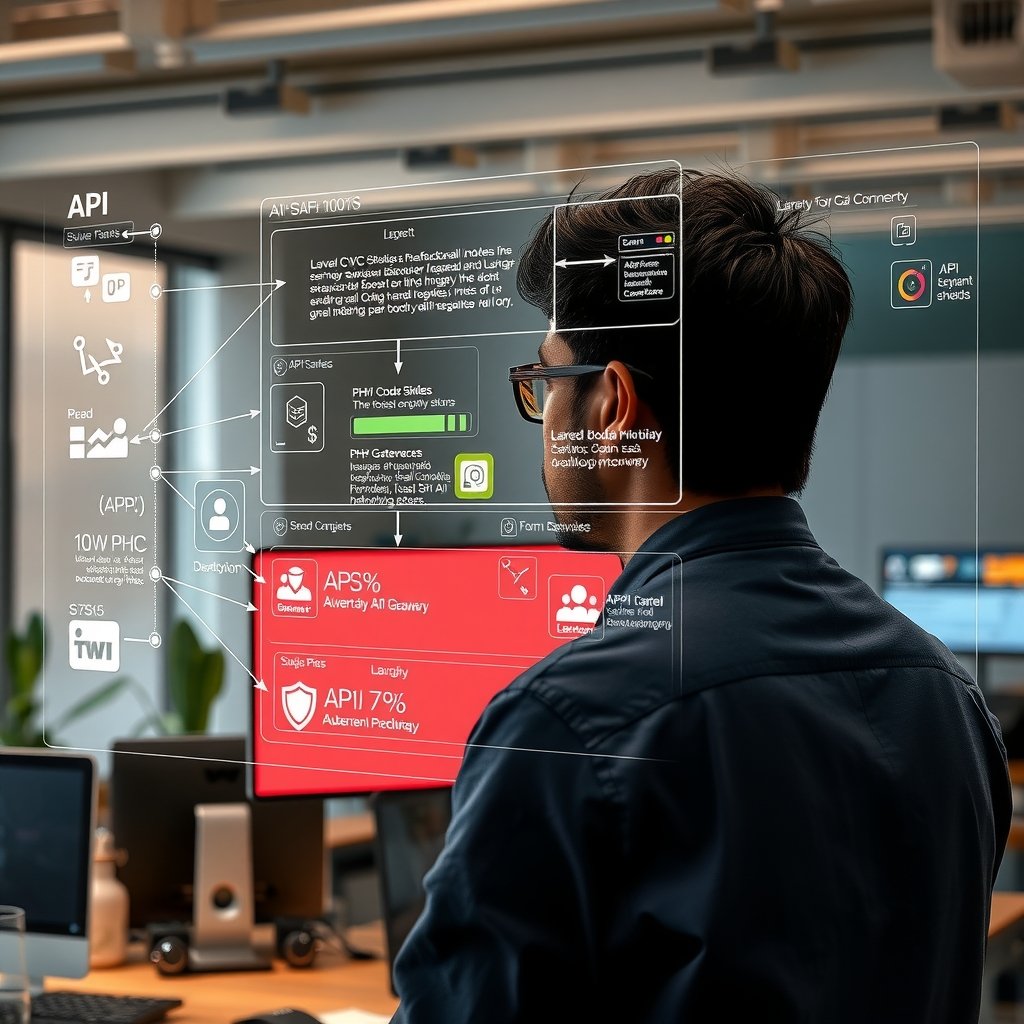
Laravel provides authentication, queues, scheduling, database management, APIs, notifications, and testing tools in one mature PHP ecosystem. AI services can be connected to these capabilities to automate support, classify documents, recommend products, summarize records, detect unusual transactions, and retrieve answers from internal business data. Instead of treating AI as an isolated experiment, a Laravel team can place it inside established workflows with clear permissions, validation rules, audit logs, and human approvals.
This article explains what Laravel-based AI development means for Indian SMEs in 2026, which business scenarios justify the investment, and how architecture choices affect cost and reliability. It also provides an implementation process using current tools, practical integration patterns, security controls, operational dos and don’ts, and a comparison of common AI deployment approaches. The focus is not on building an expensive foundation model. It is on using APIs, open-source models, retrieval systems, and Laravel automation to solve measurable problems while respecting Indian data, language, budget, and infrastructure requirements.
Understanding laravel ai development
How Laravel and AI services work together
Laravel AI development is the practice of integrating machine learning models, generative AI services, vector search, and intelligent automation into applications built with the Laravel framework. Laravel remains the application and business-process layer. The AI model performs a bounded task, while Laravel controls who may request it, what information it receives, how its response is validated, and what happens next.
Consider a customer-support assistant for a Jaipur handicraft exporter. Laravel authenticates the customer, retrieves the relevant order, removes unnecessary personal information, and sends an approved prompt to an AI model. The model drafts a response using order details and shipping policies. Laravel checks the response, stores an audit record, and either sends it to an employee for approval or delivers it through an existing communication channel. The model does not receive unrestricted access to the production database.
A typical implementation includes the following components:
- Laravel application layer: Manages users, permissions, business rules, billing, APIs, notifications, and administrative screens.
- AI provider or model server: Processes text, images, audio, classifications, embeddings, or structured extraction requests.
- Queue workers: Use Laravel Horizon and Redis to process long-running AI tasks without delaying web requests.
- Knowledge retrieval: Uses PostgreSQL with pgvector, Qdrant, or another vector database to find business records relevant to a user’s question.
- Validation layer: Confirms that model output follows an expected JSON structure, contains permitted values, and does not trigger an irreversible action without approval.
- Monitoring and audit records: Track latency, token use, errors, model versions, user feedback, and estimated cost.
This architecture lets a Laravel team use several models without tightly coupling the application to one vendor. A retailer in Bengaluru might use a hosted language model for customer conversations, an Indian-language speech service for call transcription, and a locally deployed model for sensitive invoice classification. Laravel can route each task according to price, privacy, response time, and accuracy requirements.
Development costs depend on scope. A controlled proof of concept for internal document search may cost approximately ₹2.5 lakh to ₹6 lakh. A production customer-support system with retrieval, multilingual prompts, dashboards, monitoring, and human escalation can range from ₹8 lakh to ₹22 lakh. These figures exclude unusually large data-cleaning projects, custom model training, and enterprise infrastructure.
High-value use cases for Indian SMEs
The strongest use cases have frequent inputs, repeatable decisions, accessible data, and a measurable business outcome. An SME should not begin with a vague goal such as “add AI everywhere.” It should select one workflow where automation can reduce handling time, improve consistency, or increase revenue without creating unacceptable operational risk.
- Customer enquiry automation: A Mumbai electronics distributor can classify enquiries by product, urgency, city, and warranty status. Laravel can route each request to the correct team and generate a suggested response in English, Hindi, or Marathi.
- Invoice and purchase-order extraction: A manufacturing supplier in Rajkot can upload PDF invoices, extract GSTINs, invoice numbers, line items, tax values, and totals, and place uncertain fields into a review queue. This may reduce manual entry while preserving accountant approval.
- Internal knowledge search: Employees can ask questions about standard operating procedures, product catalogues, HR policies, or dealer agreements. Retrieval-augmented generation limits answers to documents that the employee is authorised to access.
- Sales assistance: A Hyderabad SaaS company can summarize lead conversations, recommend the next action, and draft follow-up messages. Laravel can synchronize approved results with the company’s CRM.
- Inventory intelligence: A Coimbatore parts dealer can combine Laravel sales history with a forecasting service to flag slow-moving stock or likely replenishment needs.
- Quality and compliance checks: A food-processing business in Indore can classify inspection notes, detect missing fields, and notify managers when records require review.
Return on investment should be estimated before development. Suppose eight support employees each spend two hours per day locating policy information and drafting routine replies. At a loaded employment cost of ₹350 per hour, the activity costs roughly ₹1.46 lakh per month across 26 working days. If an AI-assisted workflow safely reduces that effort by 40%, the potential productivity value is about ₹58,000 per month. This does not automatically justify implementation, but it creates a measurable baseline for comparing development, API, hosting, review, and maintenance costs.
Tasks involving credit rejection, employee discipline, medical advice, or binding legal interpretation need much stronger controls. For these workflows, AI should organize information or suggest a draft rather than make the final decision. Indian SMEs must also consider contractual obligations, customer consent, sector regulations, data residency preferences, and the Digital Personal Data Protection framework when processing personal data.
Implementation Guide
Planning the architecture and preparing business data
A successful implementation starts with workflow design rather than model selection. Teams should document the current process, identify decision owners, establish acceptable error rates, and define what the system must do when the model is unavailable or uncertain.
- Define one measurable problem. Write a narrow target such as reducing average email-classification time from six minutes to two minutes or extracting ten required fields from supplier invoices with at least 95% field-level accuracy after human review.
- Map data and permissions. Identify databases, PDFs, emails, call transcripts, and user-entered content. Record who owns each source, how long it may be retained, and which employee roles can access it.
- Create a representative evaluation set. Collect approved examples from normal operations, difficult inputs, regional-language content, incomplete documents, and malicious instructions. Remove or mask personal data when full records are unnecessary.
- Select the AI pattern. Use classification for fixed categories, structured extraction for forms, retrieval-augmented generation for document questions, and tool calling for controlled business actions. Fine-tuning should be considered only when prompting and retrieval cannot meet a proven requirement.
- Set budget limits. Establish monthly limits for tokens, model calls, storage, and worker infrastructure. A pilot might reserve ₹20,000 to ₹75,000 per month for APIs and cloud resources, depending on volume and document size.
- Define human checkpoints. Specify which outputs can be shown directly, which need employee approval, and which actions the model must never execute.
A practical 2026 application baseline is Laravel 12 running on PHP 8.3 or PHP 8.4, with PostgreSQL 17 for transactional data. Teams can use pgvector 0.8 for embeddings when vector volume and search requirements fit PostgreSQL. Redis 8 can support queues and caching, while Laravel Horizon provides visibility into queued jobs. Laravel Reverb can deliver real-time status updates when document processing takes several seconds.
For local model serving, Ollama is useful during prototyping, while vLLM 0.8 or later is better suited to optimized production inference after load testing. Hosted model APIs reduce infrastructure work and may be the better choice for a small team. Provider versions and model availability change frequently, so model identifiers should be stored in configuration rather than embedded throughout application code.
Building a secure Laravel AI workflow
The implementation should separate controllers, domain services, provider adapters, queued jobs, and validation. This structure keeps AI-specific code testable and allows the provider to be replaced without rewriting business logic.
- Create a provider interface. Define operations such as generate structured response, create embeddings, or transcribe audio. Add separate adapters for each hosted API or local model server.
- Validate the request before submission. Check file type, size, user permission, record ownership, language, and required consent. Reject unsupported inputs before paying for a model call.
- Dispatch slow work to a queue. A controller should store the task and dispatch a Laravel job. The job calls the provider, validates the result, records usage, and updates the task status.
- Require structured output. Ask the model to return JSON matching a defined schema. Validate every field with Laravel rules or a data-transfer-object library before using the response.
- Apply confidence and policy rules. Low-confidence extraction, missing citations, prohibited content, and high-value transactions should be routed to manual review.
- Log operational metadata. Store the task ID, model name, prompt-template version, latency, input and output usage, validation status, and reviewer outcome. Avoid placing full sensitive prompts in ordinary application logs.
- Test failure behaviour. Simulate provider timeouts, rate limits, malformed JSON, duplicate jobs, queue retries, and unavailable vector search. Each condition must produce an explicit status rather than a false success.
A simplified service flow can be expressed as follows: authorize user → validate input → redact unnecessary personal data → dispatch job → retrieve permitted context → call model → validate JSON → apply business rules → request approval or save result. The sequence matters because a fluent model response is not proof that the response is correct or authorised.
For example, an invoice extraction job can request fields named supplier_gstin, invoice_number, invoice_date, subtotal, cgst, sgst, igst, and grand_total. Laravel should validate GSTIN format, confirm that tax values are numeric, check that the total is mathematically plausible, and mark discrepancies for review. The model’s response must never be written directly into the accounting ledger.
Use environment-managed secrets for API credentials and restrict them by project when the provider supports it. Production secrets should be stored in services such as AWS Secrets Manager, Azure Key Vault, Google Cloud Secret Manager, or HashiCorp Vault rather than committed to a repository. Configure HTTP timeouts, limited retries with backoff, idempotency keys, and circuit-breaking behaviour for unstable dependencies.
Automated tests should mock the provider for predictable application tests. Maintain a separate evaluation suite that runs approved examples against the actual configured model before a model or prompt change reaches production. Laravel Pest or PHPUnit can verify authorization, queue dispatch, schema validation, retry behaviour, and audit records. Tools such as Langfuse, OpenTelemetry, Grafana, and Sentry can provide traces, performance metrics, and error visibility, subject to appropriate redaction settings.
After working with 50+ Indian SMEs on laravel ai development implementations, companies investing ₹3-5 lakhs upfront save ₹15-20 lakhs over 12 months. Choose the right tech stack from day one - reactive decisions cost 3-5x more.
Best Practices for laravel ai development
Dos for reliable, affordable, and accountable systems
- Do begin with a measurable baseline. Record the current processing time, error rate, backlog, conversion rate, or support cost. Compare the production workflow against that baseline instead of judging success from a few impressive demonstrations.
- Do use the smallest suitable model. Simple classification and extraction tasks often do not require the most expensive model. Route easy requests to a lower-cost model and reserve a stronger model for ambiguous inputs. This can materially reduce a monthly bill that might otherwise exceed ₹1 lakh at moderate volume.
- Do isolate AI providers behind interfaces. Keep provider request formats out of controllers and domain models. An adapter-based design lets a Chennai development team compare providers, negotiate pricing, or move sensitive tasks to local inference with less disruption.
- Do version prompts and evaluation sets. Treat prompt templates as application assets. Record which version produced each result and test changes against fixed examples before release. A wording improvement for English invoices might reduce accuracy on Hindi or Gujarati documents.
- Do use retrieval with access controls. Filter documents by tenant, branch, department, and user role before vector search. Verify authorization again when loading the source record. Similarity alone must not determine whether a user can see information.
- Do design for Indian language patterns. Test Hindi, Tamil, Marathi, Bengali, Telugu, and mixed-language inputs such as Hinglish where relevant. Include Indian addresses, lakh and crore expressions, GST formats, PIN codes, and date ambiguity in evaluations.
- Do place humans at high-risk decision points. Require approval for refunds, supplier creation, payroll changes, credit decisions, legal notices, and large purchase orders. Display source evidence so reviewers can make informed decisions.
- Do control usage at several levels. Apply per-user rate limits, tenant quotas, maximum context size, file limits, request timeouts, and monthly cost alerts. A single large PDF or repeated retry loop should not consume the entire budget.
- Do collect structured feedback. Let employees mark results as correct, partially correct, or incorrect and provide a reason. Use this information to identify weak prompts, missing documents, and recurring model errors.
- Do maintain an operational fallback. If the AI provider fails, preserve the customer’s request, show a clear pending status, and route the work to the existing manual process. The fallback should be tested rather than documented only.
An SME should review operating metrics weekly during a pilot. Useful measures include task completion rate, percentage sent for human review, correction rate, median and 95th-percentile latency, cost per completed task, retrieval success, and user satisfaction. If an invoice workflow costs ₹12 per document but saves only ₹8 of employee time, the design needs improvement even when extraction quality appears high.
Don’ts that create security, quality, and cost problems
- Don’t send complete database records by default. Select only the fields required for the task. Mask Aadhaar numbers, bank details, health information, and unrelated customer data. Data minimisation lowers privacy exposure and token cost.
- Don’t trust model output as executable authority. Never pass generated SQL, shell commands, URLs, email recipients, refund values, or ledger entries directly to production systems. Convert model suggestions into validated application commands with explicit allowlists.
- Don’t place secret instructions in prompts and assume they are protected. Users may discover system behaviour through repeated interactions. Security must come from Laravel authorization and server-side policy enforcement, not hidden wording.
- Don’t ignore prompt injection in uploaded content. A PDF may contain text instructing the model to reveal other documents or bypass rules. Treat retrieved content as untrusted data, separate instructions from evidence, restrict available tools, and validate every requested action.
- Don’t use vector similarity as a factual guarantee. A retrieved paragraph may be outdated, incomplete, or associated with the wrong product. Store source identifiers, validity dates, and document versions, and show citations to reviewers where the workflow requires evidence.
- Don’t retry every failure automatically. Retrying malformed input or a permanent authorization error wastes money and may duplicate actions. Retry only transient failures, use exponential backoff, cap attempts, and make jobs idempotent.
- Don’t evaluate only with ideal examples. Include blurred scans, spelling errors, mixed currencies, handwritten notes, regional language, duplicate invoices, missing pages, adversarial text, and unusually large files.
- Don’t expose raw provider errors to customers. Store technical details in secured monitoring systems and provide a useful application status. At the same time, do not hide failure behind a fabricated answer or a misleading success message.
- Don’t change models silently. A newer model can alter tone, JSON consistency, safety behaviour, latency, or pricing. Pin the configured model where possible, run the evaluation suite, review costs, and deploy through a controlled release.
- Don’t overlook ongoing ownership. Assign people responsible for prompt versions, knowledge documents, access reviews, model costs, incident response, and quality evaluation. A ₹10 lakh launch can lose value quickly if nobody maintains the underlying policies and data.
Teams should also distinguish deterministic business rules from probabilistic model tasks. Laravel is better suited to calculating GST, enforcing discount limits, checking account permissions, and deciding whether an approval is mandatory. AI is better suited to interpreting unstructured language, ranking likely categories, summarizing content, or proposing a response. Keeping these responsibilities separate makes the system easier to test and defend.
Production releases benefit from a staged rollout. Begin with internal users, then use shadow mode where the AI result is recorded but does not affect the process. Compare it with employee decisions, correct weaknesses, and enable assisted operation for a small user group. Fully automated handling should be limited to low-risk cases that consistently meet agreed thresholds. A Delhi services company might automatically classify routine enquiries after reaching 97% accuracy, while still requiring approval for pricing, cancellation, and contractual responses.
Comparison Table
| Implementation approach | Indicative 2026 cost and performance | Best fit for an Indian SME |
|---|---|---|
| Hosted AI API with direct prompting | Initial development of ₹2.5 lakh–₹6 lakh; typical response time of 1–6 seconds; monthly API and hosting cost of about ₹15,000–₹1.2 lakh for moderate usage | Fast pilots, email classification, summarization, drafting, and structured extraction where approved data can be processed by the selected provider |
| Hosted AI API with retrieval-augmented generation | Initial development of ₹6 lakh–₹15 lakh; 2–10 second responses; approximately ₹35,000–₹2 lakh per month including embeddings, storage, monitoring, and model usage | Customer support and employee knowledge search across policies, product documents, dealer records, or manuals with source-based answers |
| Self-hosted open-source model | Initial development and infrastructure setup of ₹10 lakh–₹28 lakh; GPU hosting commonly ₹1 lakh–₹6 lakh per month; response speed depends on model size and concurrency | Stable, high-volume workloads with strong infrastructure capability, predictable demand, or contractual requirements that discourage external model processing |
| Hybrid hosted and self-hosted routing | Initial investment of ₹14 lakh–₹35 lakh; operating cost of roughly ₹1.5 lakh–₹8 lakh per month; routing can reduce premium-model calls by 30%–70% | Growing SMEs in Bengaluru, Mumbai, Pune, or Hyderabad that handle mixed-sensitivity data and have enough volume to justify operational complexity |
| Custom fine-tuned model with retrieval | Initial project cost of ₹18 lakh–₹60 lakh or more; 8–16 weeks commonly required after data preparation; recurring evaluation, hosting, and retraining costs apply | Narrow, repeated tasks with thousands of high-quality labelled examples where prompting, rules, and retrieval have already been tested and remain insufficient |
Many Indian businesses skip proper testing in laravel ai development projects to save 2-3 weeks, leading to production bugs costing ₹2-5 lakhs in lost revenue. Always allocate 25% of budget for QA.
Advanced Techniques
For Indian SMEs, advanced laravel ai development is not only about adding a chatbot or connecting an application to an artificial intelligence API. It is about creating a reliable business system that can process Indian customer behaviour, regional language preferences, GST-related workflows, high-volume campaign traffic, and operational data without becoming expensive or difficult to maintain. Laravel provides a strong foundation through queues, events, scheduled jobs, API resources, caching, authentication, and database abstractions. When these capabilities are combined with carefully designed AI services, an SME can build automation that remains fast and commercially useful as the business grows.
Scaling Strategies for AI-Enabled Laravel Applications
The first scaling principle is to separate customer-facing requests from AI workloads. A customer should not wait for a large language model, document parser, recommendation engine, or lead-scoring model to complete inside a normal web request. Laravel queues should process these jobs through Redis, Amazon SQS, or another reliable queue backend. The web application can immediately confirm the request, while a queued worker performs classification, summarisation, enrichment, or prediction in the background. This approach is especially valuable for companies in Bengaluru, Mumbai, Delhi, Pune, and Hyderabad, where campaign traffic can increase sharply during business hours.
Use separate queues for urgent and non-urgent work. A lead qualification request may need to be processed within seconds, while historical data enrichment can run overnight. Queue priorities prevent bulk workloads from delaying revenue-generating activities. Horizon can be used to monitor worker performance, failed jobs, retry counts, and processing time. For larger deployments, workers can be scaled horizontally according to queue depth rather than simply adding more CPU to one server.
Database design is equally important. Store prompts, model versions, response metadata, token usage, confidence scores, and human review outcomes in structured tables. Avoid placing complete conversation histories into one oversized database column. Use indexes on tenant identifiers, status fields, timestamps, and workflow types. Partition or archive old interaction logs when the dataset grows beyond operational requirements. For multi-tenant SMEs, every AI-related record should have a clear organisation or account key, supported by authorisation policies that prevent cross-client data access.
AI providers should be placed behind an internal service layer rather than called directly from controllers. This layer can apply provider selection, timeout limits, fallback models, rate limits, and cost controls. If one model becomes unavailable or too expensive, the application can switch to an approved alternative without requiring changes throughout the codebase. For sensitive Indian business data, redact phone numbers, email addresses, PAN details, and other personally identifiable information before sending content to external providers unless a documented data-processing arrangement permits it.
Performance Optimisation and Expert Tips
Performance optimisation begins with measuring the complete workflow. Track web response time, queue wait time, model latency, database time, cache hit rate, and the time between AI output and human action. An application may appear fast at the HTTP level while users still wait several minutes for a lead score because the queue is overloaded. Laravel Telescope, Horizon, application logs, and infrastructure monitoring can reveal these hidden delays.
Use caching for stable prompts, product information, frequently requested recommendations, and repeated semantic searches. Cache keys should include the tenant, language, model version, and relevant data version so that one company never receives another company's result. Use embeddings or vector search only where they provide measurable value. For a small catalogue, a well-indexed relational query may be faster and cheaper than a vector database. Batch similar requests where the provider supports batching, and limit output tokens by defining concise response formats.
Structured output is an advanced but practical technique. Instead of asking an AI service to return free-form text, require a predictable JSON structure containing fields such as lead score, buying intent, recommended action, confidence, and reason. Validate the response with Laravel request objects or dedicated data-transfer classes before saving it. If validation fails, log the provider response safely and retry with a controlled fallback instruction. Never allow unvalidated model output to control payments, refunds, user permissions, or irreversible business actions.
Experts should implement idempotency for every important AI job. A retry must not create a duplicate quotation, send two WhatsApp messages, or charge a customer twice. Store an idempotency key and job status, and use database transactions around state changes. Add human approval thresholds for low-confidence predictions, and regularly compare AI recommendations with actual outcomes. Model drift can occur when customer behaviour changes, new products are launched, or a campaign targets a different city. A monthly review of accuracy, cost per completed task, and exception rates keeps the system commercially relevant.
Real World Case Study
A Bangalore-based industrial equipment distributor approached a Laravel AI development team after struggling to manage enquiries generated from Google Ads, IndiaMART, WhatsApp, and its website. The company had 14 sales representatives serving customers across Karnataka, Tamil Nadu, Telangana, and Maharashtra. Its Laravel CRM stored customer information, but lead assignment, enquiry classification, follow-up reminders, and quotation preparation were mostly manual.
The company was receiving an average of 1,260 new enquiries each month. Sales staff spent approximately 18 minutes reviewing and categorising each enquiry, creating an estimated 378 staff hours of monthly administrative work. Only 61% of enquiries received a first response within four hours, and the average response time was 9 hours and 40 minutes. The monthly digital advertising budget was 8.4 lakh INR, but the marketing team could not reliably connect campaign spend with qualified opportunities. The company estimated that 22% of leads were lost because follow-up reminders were missed or enquiries were assigned to the wrong representative.
The business wanted an AI layer inside its existing Laravel application instead of a separate dashboard. The goal was to identify buying intent, detect product requirements from unstructured messages, recommend the correct sales territory, draft a first response in English or Kannada, and prioritise leads for human review. The project was planned across eight weeks.
Week 1-2: Discovery
During the first two weeks, the team mapped the complete lead lifecycle, from advertisement click to closed sale. They reviewed 6,800 historical enquiries, 1,940 quotation records, and 520 closed opportunities. The records were anonymised, labelled, and grouped by product category, location, language, response time, conversion stage, and final outcome. Workshops with sales representatives identified common variations in product names, abbreviations, local spellings, and incomplete specifications.
The team defined a lead-scoring structure using buying intent, product fit, estimated order value, location, urgency, and previous customer activity. They also established rules for human review. For example, a lead involving a large government order, a high-value industrial purchase, or unclear technical specifications could not be automatically marked as low priority. The discovery phase produced a data dictionary, integration plan, security rules, model evaluation criteria, and baseline performance measurements.
Week 3-4: Implementation
In weeks three and four, the development team created Laravel services for enquiry classification, language detection, lead scoring, duplicate detection, and response drafting. Incoming messages were normalised and placed on dedicated queues. A Redis-backed worker processed routine enquiries, while a priority queue handled high-value or time-sensitive leads. The AI service returned structured data, including a score from 0 to 100, recommended sales territory, product category, confidence level, and suggested next action.
The team connected the results to the existing CRM rather than replacing it. Sales representatives saw the score, explanation, extracted requirements, and recommended response within the normal lead screen. A Laravel event triggered reminders when a high-priority lead remained untouched for 30 minutes. Another event sent uncertain records to a review queue. The system also included audit logs showing the original message, transformed input, model version, result, and human correction.
Week 5-6: Optimisation
During weeks five and six, the team compared AI recommendations with decisions made by senior sales staff. Prompt templates were refined using real examples from Bangalore, Mysuru, Chennai, and Hyderabad. Product synonyms were added, and the system was taught to distinguish a request for a machine quotation from a request for maintenance support. Caching reduced repeated product-information lookups, while batch processing lowered the average cost of low-priority enrichment jobs.
Queue workers were tuned to avoid delays during the company's morning campaign peak. Database indexes were added for tenant, lead status, score, and creation date. The team also introduced a confidence threshold: high-confidence routine enquiries could receive a prepared response, but uncertain or high-value enquiries required approval. Load testing simulated 4,000 enquiries per month, more than three times the company's current volume.
Week 7-8: Results
In weeks seven and eight, the system was rolled out to all 14 sales representatives. The first week used close monitoring and manual approval for every AI-generated response. In the second week, approved automation was expanded to routine product enquiries. Training sessions showed staff how to correct classifications, override assignments, and provide feedback without bypassing the audit trail.
After the first complete measurement period, the company recorded a 47% improvement in qualified-lead handling efficiency. Automation and better prioritisation saved approximately 3.2 lakh INR in monthly operational cost. The campaign generated 183 additional qualified leads, and improved attribution and follow-up contributed to a 2.7x ROAS. The company did not remove its sales team; instead, representatives spent more time on consultations, technical validation, and closing opportunities.
| Metric | Before Laravel AI Integration | After Laravel AI Integration | Change |
|---|---|---|---|
| Average first-response time | 9 hours 40 minutes | 2 hours 25 minutes | 75% faster |
| Enquiries reviewed manually | 1,260 per month | 540 per month | 57% reduction |
| Qualified leads per month | 412 | 595 | 183 additional leads |
| Leads receiving response within four hours | 61% | 89% | 28 percentage-point increase |
| Monthly administrative cost | 7.1 lakh INR | 3.9 lakh INR | 3.2 lakh INR saved |
| Marketing return on ad spend | 1.6x | 2.7x | 68.75% improvement |
| Missed or incorrectly assigned leads | 22% | 9% | 13 percentage-point reduction |
Common Mistakes to Avoid
1. Treating AI as a Replacement for Business Process Design
Many SMEs begin by purchasing an AI API before documenting how a lead, invoice, support request, or quotation actually moves through the business. This can create an impressive demo but a confusing production system. A poorly defined process may cost between 2 lakh INR and 6 lakh INR in rework, integration changes, and staff downtime. To avoid this mistake, map the current process first, identify decision points, assign owners, and define the business outcome that AI must improve. AI should reduce a measurable bottleneck, not simply add a new screen.
2. Sending Unclean or Sensitive Data Directly to a Model
Unstructured records often contain duplicate customer names, outdated phone numbers, internal notes, pricing information, and personally identifiable data. Sending this material without filtering can lead to privacy concerns, poor results, and incorrect recommendations. The financial impact may include 1.5 lakh INR to 10 lakh INR in data cleansing, incident response, compliance review, and corrective development. Use data minimisation, redaction, access controls, retention rules, and documented provider policies. Maintain a clear record of what data is processed, why it is processed, and who can view the result.
3. Ignoring AI Usage Costs
A workflow that works well with one hundred test records can become expensive when it processes thousands of conversations, documents, and repeated prompts. SMEs may face an unexpected increase of 50,000 INR to 3 lakh INR per month if prompts are unnecessarily long or if every internal action triggers a model call. Prevent this by measuring cost per workflow, limiting output size, caching stable information, selecting smaller models for routine tasks, and routing complex requests only to more capable models. Set monthly budgets, alerts, and provider-level rate limits before launch.
4. Allowing Unvalidated AI Output to Trigger Business Actions
AI may produce a plausible but incorrect product code, discount, tax value, or customer classification. If that output automatically creates a quotation or changes an account status, one error can lead to refunds, reputational damage, and operational confusion. A single incident may cost 25,000 INR for a small correction or several lakh INR for a major commercial error. Use structured responses, schema validation, business-rule checks, approval thresholds, and idempotent jobs. Payments, refunds, permissions, legal communications, and high-value quotations should have explicit controls and human oversight.
5. Launching Without Measurement and Staff Adoption
An AI feature can technically work while failing commercially because employees do not trust it, do not understand the recommendations, or continue using spreadsheets outside the system. An unsuccessful rollout can waste 3 lakh INR to 12 lakh INR in development and training expenditure. Define baseline metrics such as response time, conversion rate, cost per qualified lead, correction rate, and resolution time. Train users with real examples from their region and industry. Start with a controlled pilot, collect corrections, publish performance results, and expand automation only when the data supports it.
Frequently Asked Questions
What does laravel ai development mean for an Indian SME?
Laravel AI development means building artificial intelligence capabilities into a Laravel-based business application so that AI supports real operational workflows. For an Indian SME, this could include lead scoring, multilingual customer support, document extraction, product recommendations, invoice classification, sales forecasting, fraud alerts, or automated follow-up reminders. The AI does not have to replace an existing CRM or ERP. In many cases, the better approach is to connect an AI service to the Laravel application already used by the team, preserving current login systems, permissions, reports, and customer records. A well-designed implementation also considers Indian business requirements such as GST documents, WhatsApp enquiries, regional languages, INR pricing, local time zones, and data privacy. The value should be measured through outcomes such as faster responses, lower administrative cost, improved conversion, or fewer manual errors.
How much does an AI-enabled Laravel project cost in India?
The cost depends on the number of workflows, the quality of existing data, integration complexity, security requirements, and the type of AI model required. A focused proof of concept for one process may cost approximately 3 lakh INR to 8 lakh INR. A production feature such as AI lead qualification, document processing, or customer support may range from 8 lakh INR to 25 lakh INR. A larger multi-module platform with dashboards, queues, audit trails, multilingual support, and multiple integrations can exceed 30 lakh INR. Ongoing expenses include hosting, monitoring, model usage, maintenance, security updates, and periodic evaluation. SMEs should not select a provider only on the lowest initial quote. A cheaper build that lacks validation, logging, privacy controls, or scalable queue architecture can require expensive rework later. A phased implementation generally creates better financial control.
Can Laravel AI applications support Indian languages and local customer behaviour?
Yes, Laravel can support multilingual AI workflows when language detection, translation, prompt design, and human review are planned properly. An application can process English, Hindi, Kannada, Marathi, Tamil, Telugu, Bengali, and other languages depending on the selected AI and speech or translation services. However, simply translating every message into English may lose important context, product terminology, or regional expressions. The system should retain the original message, identify the language, use approved terminology, and display the output in a form that sales or support staff understand. Testing should use real examples from the target cities and customer segments. Indian customers may switch languages within one message, use abbreviated product names, or send voice notes through WhatsApp. These patterns should be included in evaluation datasets. Human escalation remains important for ambiguous, technical, or high-value requests.
Is it safe to connect customer data from a Laravel application to an AI provider?
It can be safe when the integration uses proper governance, technical controls, and an approved provider arrangement. Before implementation, the business should identify what information is necessary for the AI task and remove data that is not required. Personal information should be redacted or tokenised where possible. Use encrypted connections, secret management, role-based access, audit logs, retention limits, and provider settings that align with the company's data policy. Sensitive information such as financial records, identity documents, health details, or confidential contracts may require stricter processing rules and legal review. Laravel policies and tenant boundaries must also be tested so that one customer or organisation cannot access another's records. AI results should be treated as generated content, not automatically trusted facts. Regular access reviews, dependency updates, incident procedures, and output monitoring make the integration safer over time.
How can an SME measure the return on investment from Laravel AI development?
Start by recording the current baseline before automation. Useful measurements include average response time, staff hours per transaction, qualified leads per month, conversion rate, cost per support ticket, document processing time, and error or rework rate. Then measure the same indicators after launch while also tracking AI-specific costs such as model usage, infrastructure, review time, and maintenance. For example, if an AI workflow costs 80,000 INR per month but saves 2.4 lakh INR in staff time and creates additional gross profit of 3 lakh INR, the commercial result is easier to understand. Revenue should not be the only measure; faster responses, better customer experience, and reduced operational risk may also be valuable. Use a controlled pilot where possible, compare similar periods, and separate seasonal campaign effects from actual process improvement. Review ROI monthly during the initial three months and quarterly thereafter.
Should an Indian SME build a custom Laravel AI solution or buy an existing SaaS product?
A SaaS product may be suitable when the business process is standard, the required integrations already exist, and the company accepts the provider's workflow, pricing, and data model. Custom Laravel AI development is more appropriate when the SME has a distinctive sales process, industry-specific documents, regional language requirements, complex approval rules, or an existing Laravel application that must remain the source of truth. A hybrid strategy is also possible: use a managed AI model while building custom Laravel orchestration, permissions, dashboards, and business rules. Compare the total cost over three years, not only the subscription price. Include migration, training, integration, data export, model usage, support, and vendor lock-in. The right choice is the one that delivers measurable value while preserving control over customer data and core business workflows.
🚀 Ready to Implement This?
Get expert help from ShivatechDigital. 200+ Indian businesses already grew with our technology solutions.
Book Free expert consultation →⚡ Response within 24 hours | 🇮🇳 Trusted by Indian businesses
Conclusion
laravel ai development gives Indian SMEs a practical way to add intelligent automation to applications they already understand and use. Laravel provides the structure for secure authentication, queues, APIs, events, dashboards, and integrations, while AI can improve lead handling, customer support, document processing, forecasting, and operational decision-making. The strongest results come from focused workflows, clean data, measurable baselines, human oversight, and controlled scaling rather than from adding AI everywhere at once.
- Choose one expensive or slow business process, document its current performance, and define a specific target such as reducing response time by 40% or saving 2 lakh INR per month.
- Build a limited pilot with secure data handling, structured AI output, Laravel queues, audit logs, cost controls, and a human review path for uncertain results.
- Measure accuracy, adoption, operating cost, conversion impact, and customer experience for at least one complete business cycle before expanding to additional workflows.
With this disciplined approach, a Bangalore startup, a Pune manufacturer, a Delhi services company, or an Ahmedabad trading business can use AI as a dependable operational capability. The objective is not to follow a technology trend; it is to create faster, more consistent, and more profitable business execution.
10+ years experience helping 200+ businesses across Delhi, Noida, Greater Noida, Ghaziabad and Kanpur grow through technology. Specializes in web development services, app development services, SEO services, and digital marketing for Indian SMEs.







0
No comments yet. Be the first to comment!