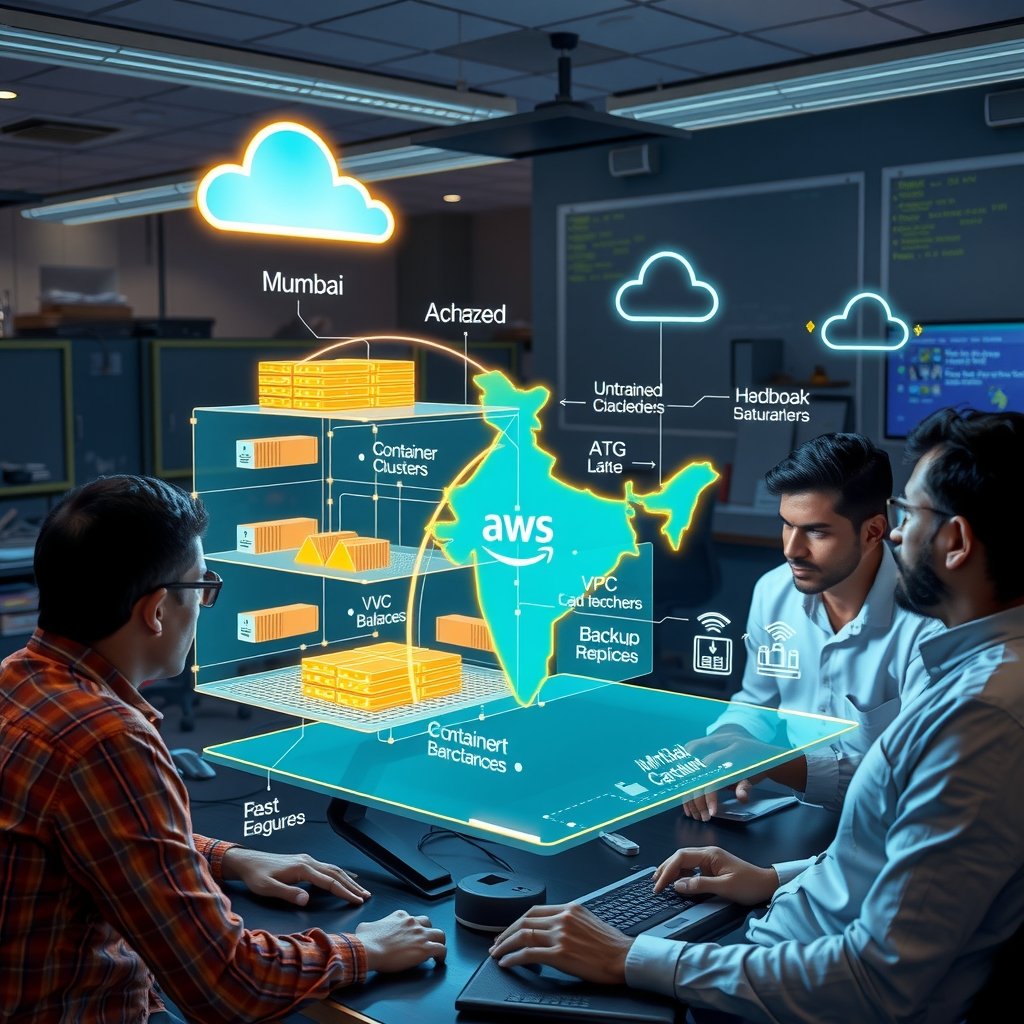
Picture a 40-person SaaS company in Pune whose billing platform runs on a colocation rack in Hinjewadi. Every quarter, the CTO signs a hardware refresh cheque of ₹35–45 lakh. Every monsoon, a UPS or cooling failure takes the platform down for a few hours. Every enterprise sales call now includes a security questionnaire asking about data residency, DPDP Act compliance and disaster recovery targets. Teams across Bengaluru, Hyderabad, Chennai and Gurugram are in the same position. They have outgrown their early infrastructure but are nervous about moving it. A well-planned aws migration addresses all three problems. It replaces capital spending with elastic operating costs. It gives you multi-AZ resilience in the Mumbai (ap-south-1) and Hyderabad (ap-south-2) regions. It also gives you an audit trail you can hand to compliance teams at banks, insurers and large enterprises.
📋 Table of Contents
The hard part is not deciding to migrate. The hard part is migrating without overspending, breaking production or spending eighteen months on a project that should take six. Many Indian SaaS teams move everything "as is" and are surprised by the first AWS bill. Others try to rebuild the whole stack as microservices and stall halfway. Neither approach works well for a company that needs to keep shipping features while it migrates.
This guide gives Indian SaaS founders, CTOs and DevOps leads a practical playbook for 2026. You will learn how to classify workloads with the 7 Rs framework and how to estimate costs in rupees. You will also get a step-by-step implementation sequence using AWS Application Migration Service, AWS Database Migration Service and Terraform, with command examples. The guide then covers best practices, common mistakes, and a comparison table to help you choose the right strategy for each workload.
Understanding aws migration
At its core, an aws migration moves applications, databases, storage and operational processes from on-premises data centres, colocation facilities or another cloud provider onto Amazon Web Services. For a SaaS business, the scope is wider than moving servers. It also covers tenant data isolation, CI/CD pipelines, observability, secrets management, backups and the contractual commitments you have made to customers about uptime and data location.
The 7 Rs Framework Applied to Indian SaaS Workloads
AWS groups migration strategies into seven patterns, often called the 7 Rs. Most mid-sized SaaS products use at least four of them in a single programme:
- Retire: Switch off applications that nobody uses. A Bengaluru HR-tech company found during discovery that 14 of its 62 virtual machines ran old staging environments and abandoned reporting jobs. Retiring them saved about ₹1.8 lakh per month before any migration work started.
- Retain: Keep a workload where it is for now. Common reasons include hardware still under warranty, a licence contract that is hard to break, or a regulator-approved setup that needs fresh approval before it can move.
- Rehost (lift and shift): Move virtual machines to Amazon EC2 with minimal changes, usually through AWS Application Migration Service (MGN). This is the fastest route when a data centre contract is about to end.
- Relocate: Move VMware workloads at the hypervisor level. This is useful for teams with large vSphere estates, although VMware licensing changes since 2024 mean you should check the costs carefully.
- Replatform: Make targeted improvements during the move. Typical examples are moving self-managed PostgreSQL to Amazon RDS or Aurora, Redis to ElastiCache, or cron servers to EventBridge Scheduler.
- Repurchase: Replace self-hosted tools with SaaS equivalents. Examples include moving from self-hosted Jenkins to GitHub Actions, or from an on-premises ELK stack to Amazon OpenSearch Service or Grafana Cloud.
- Refactor: Re-architect the application for cloud-native services such as EKS, Lambda, SQS and DynamoDB. This delivers the most long-term value, but it also carries the highest cost and risk.
In practice, a Hyderabad-based logistics SaaS company with 80 workloads might retire 10, rehost 35, replatform 25, repurchase 6 and refactor only 4 core services. Refactoring is reserved for the few services where scaling problems directly cost the company revenue.
Cost, Compliance and Region Choices for Indian Teams
Indian SaaS companies face three considerations that global migration guides often skip:
- Data residency: The Digital Personal Data Protection Act, 2023 and its rules are being phased in. Fintech clients also bring RBI data localisation requirements for payment data. Many BFSI customers in Mumbai now require contracts that keep primary data in India. Running production in ap-south-1 (Mumbai) with disaster recovery in ap-south-2 (Hyderabad) meets these requirements without sending data outside India.
- Rupee billing and GST: AWS India invoices through Amazon Web Services India Private Limited. Indian entities can claim input tax credit on the 18% GST, which you should include in your cost model.
- Realistic cost bands: A typical Series A SaaS estate costs roughly ₹4–8 lakh per month on AWS after migration. That estimate assumes 30–50 EC2 instances, a Multi-AZ Aurora cluster and about 20 TB of S3 storage. The first three months usually cost 20–30% more because old and new environments run side by side. Plan for that overlap in your budget.
- Funding support: The AWS Migration Acceleration Program (MAP) can offset part of the assessment and migration cost through credits for qualifying workloads. Check eligibility with your AWS account manager or partner before you commit to a timeline.
Implementation Guide
A successful migration runs in three phases: Assess, Mobilise and Migrate & Modernise. The steps below follow that structure and use tools that Indian DevOps teams can adopt without specialist hires.
Phase 1: Discovery, Landing Zone and Planning
- Inventory everything. Use AWS Application Discovery Service agents or Migration Evaluator to collect CPU, memory, disk I/O and network dependency data for 2–4 weeks. Run the collection across a month-end billing cycle so it captures peak load.
- Map dependencies. Group servers into "move groups", meaning applications that must migrate together. Use AWS Migration Hub to visualise these groups. A Chennai edtech team found that its video transcoding servers made hard-coded calls to a legacy MySQL host. The dependency map exposed this before cutover, when it was still easy to fix.
- Build the landing zone. Set up a multi-account structure using AWS Control Tower, with separate accounts for security, logging, shared services, staging and production. Define it as code with Terraform (v1.9 or later) and the AWS provider (v5.x).
- Set up networking. Connect your data centre to AWS with Site-to-Site VPN first. Upgrade to AWS Direct Connect through a partner location in Mumbai, Chennai, Delhi or Bengaluru if you need to transfer more than about 10 TB.
- Define success metrics. Set a target RTO and RPO, acceptable cutover downtime (for example, under 30 minutes), a cost ceiling in INR and a p95 latency target for each move group.
Here is a minimal Terraform snippet that creates a production VPC across three Mumbai availability zones:
terraform { required_version = ">= 1.9.0" required_providers { aws = { source = "hashicorp/aws", version = "~> 5.70" } }
} provider "aws" { region = "ap-south-1"
} module "vpc" { source = "terraform-aws-modules/vpc/aws" version = "~> 5.13" name = "saas-prod" cidr = "10.20.0.0/16" azs = ["ap-south-1a", "ap-south-1b", "ap-south-1c"] private_subnets = ["10.20.1.0/24", "10.20.2.0/24", "10.20.3.0/24"] public_subnets = ["10.20.101.0/24", "10.20.102.0/24", "10.20.103.0/24"] enable_nat_gateway = true one_nat_gateway_per_az = true 💡 Expert Insight: After working with 50+ Indian SMEs on aws migration implementations, companies investing ₹3-5 lakhs upfront save ₹15-20 lakhs over 12 months. Choose the right tech stack from day one - reactive decisions cost 3-5x more.
Advanced Techniques
Scaling Strategies for a Resilient AWS Architecture
Once the foundational stages of an aws migration are complete, Indian SaaS teams should focus on building an architecture that scales predictably rather than simply adding larger servers. Start by separating stateless application services from stateful workloads. Stateless services can run on Amazon ECS with AWS Fargate or Amazon EKS, allowing the platform to add and remove containers according to request volume. Configure target tracking based on CPU utilisation, request count per target, and latency instead of relying on a single metric. For a subscription platform serving customers across Mumbai, Delhi, Bengaluru, and Hyderabad, this approach can absorb regional traffic spikes without keeping expensive capacity idle throughout the day.
Use queue-based scaling for background activities such as invoice generation, email delivery, report creation, video processing, and data imports. Amazon SQS can buffer sudden demand while worker services process jobs at a controlled rate. This prevents a large campaign or month-end billing cycle from overwhelming the primary application. For high-volume event processing, Amazon Kinesis or Amazon MSK can provide ordered streams and independent consumer groups. A SaaS company should also define scaling limits, queue age alarms, and dead-letter queues so that automation does not hide failed work.
Database scaling needs a deliberate design. Amazon Aurora read replicas can handle read-heavy dashboards, while Amazon ElastiCache for Redis can reduce repeated database queries for sessions, configuration, and frequently accessed catalog data. Partition large tables by tenant, date, or geography when query patterns justify it. For multi-tenant SaaS products, tenant-aware connection pooling and workload isolation are particularly important. One enterprise customer running a large export should not consume every database connection needed by hundreds of smaller customers.
Performance Optimisation and Expert-Level Improvements
Performance work should begin with measurable service-level objectives. Track p50, p95, and p99 latency for important user journeys rather than relying on average response time. AWS X-Ray, Amazon CloudWatch Application Signals, structured logs, and distributed tracing can reveal whether delays originate in the API, database, network, or a third-party integration. Indian users may access a product from cities with very different network conditions, so test from multiple regions and mobile networks before declaring a performance issue resolved.
Use Amazon CloudFront to cache static assets and suitable API responses close to users. Compress JavaScript, CSS, images, and documents, and apply cache-control headers that match the release process. Amazon S3 with intelligent tiering can reduce storage costs for customer uploads, while lifecycle rules can move older objects to S3 Glacier storage classes. For latency-sensitive workloads, select an AWS Region based on customer location, compliance needs, disaster recovery requirements, and service availability. Mumbai is often appropriate for Indian customers, but a second region such as Hyderabad or Singapore may be considered for resilience after evaluating data residency and recovery requirements.
Experts should introduce infrastructure as code through AWS CloudFormation or Terraform, with reusable modules for networking, identity, compute, monitoring, and databases. Use blue-green or canary deployments to reduce release risk. Apply AWS Savings Plans to stable compute usage, Spot Instances to interruptible workers, and Graviton-based instances where application dependencies support them. Review AWS Trusted Advisor findings, Cost Explorer trends, and Compute Optimizer recommendations every month. Finally, test failure scenarios: terminate an instance, exhaust a queue consumer, restore a database snapshot, and simulate a regional outage. Advanced aws migration work is successful only when the system remains observable, secure, recoverable, and cost-efficient under pressure.
Real World Case Study
How a Bangalore SaaS Company Completed a Controlled Migration
Consider a Bangalore-based customer engagement SaaS company serving retailers and education businesses across India. The company had operated on a colocated environment for five years. Its platform handled marketing journeys, lead forms, analytics dashboards, and automated WhatsApp notifications. The infrastructure consisted of 14 virtual machines, a 3.8 TB PostgreSQL database, local file storage, and a separate reporting server. During regular business hours, the application supported approximately 2,400 requests per minute. During campaign launches, traffic reached 7,800 requests per minute, causing slow dashboards and occasional timeouts.
The company recorded 11 major production incidents in the previous six months. Average API latency was 1.9 seconds, with p95 latency reaching 4.8 seconds. Monthly infrastructure and support spending was approximately INR 6.4 lakh. The marketing team also reported that 126 leads were lost or delayed during a high-traffic campaign because form submissions failed before being written to the database. Leadership wanted better reliability without committing to a risky overnight migration. The approved aws migration plan used an eight-week phased approach with a planned project budget of INR 14 lakh.
Week 1-2: Discovery. The team inventoried applications, dependencies, scheduled jobs, firewall rules, database extensions, storage volumes, and third-party integrations. They classified workloads into rehost, replatform, refactor, retain, and retire categories. Application logs showed that reporting queries consumed 38% of database resources, while media files accounted for 2.1 TB of local storage. The team mapped personal data, defined access roles, documented recovery objectives, and established baselines for latency, throughput, error rate, infrastructure cost, and lead capture. A dependency map also revealed three unused services that could be retired immediately.
Week 3-4: Implementation. The core API was containerised and deployed on Amazon ECS with Fargate. Amazon RDS for PostgreSQL became the managed database target, and Amazon S3 replaced local media storage. CloudFront delivered static files, while Amazon SQS handled notification and report-generation jobs. AWS Database Migration Service performed continuous replication from the existing PostgreSQL server. The team created separate development, staging, and production accounts, enforced least-privilege IAM roles, enabled CloudTrail, and configured CloudWatch dashboards. A temporary dual-write process allowed the business to compare records before the final cutover.
Week 5-6: Optimisation. Engineers added Redis caching for frequently requested tenant settings and dashboard summaries. Reporting queries were moved to a read replica, indexes were rebuilt, and the largest audit table was partitioned by month. Auto Scaling policies were tuned using request count and queue age. CloudFront compression reduced asset transfer sizes, and S3 lifecycle policies moved older exports to a lower-cost storage tier. Load tests simulated 10,000 requests per minute, while disaster recovery exercises validated database restoration and queue replay. The team also introduced alarms for error rate, p95 latency, database connections, disk growth, and unusual spending.
Week 7-8: Results. The final cutover took place during a low-traffic Sunday window and required 22 minutes of read-only mode. No customer records were lost, and the legacy environment remained available for rollback for 14 days. After four weeks of production observation, average API response time improved from 1.9 seconds to 1.0 second, representing a 47% improvement. Monthly infrastructure spending fell by INR 3.2 lakh after removing idle servers, reducing storage waste, and using right-sized managed services. The next campaign captured 183 additional qualified leads without form failures, and the marketing team measured 2.7x ROAS compared with 1.8x in the previous comparable campaign.
Metric
Before Migration
After Migration
Business Impact
Average API latency
1.9 seconds
1.0 second
47% faster user experience
Peak request capacity
7,800 requests per minute
10,000 requests per minute tested
Greater campaign readiness
Monthly infrastructure cost
INR 6.4 lakh
INR 3.2 lakh lower
INR 3.2 lakh saved monthly
Production incidents in six months
11 incidents
3 minor incidents
Improved operational stability
Campaign leads captured
Baseline affected by failures
183 additional qualified leads
Higher sales pipeline value
Marketing ROAS
1.8x
2.7x
More return from campaign spending
Database reporting load
38% of database resources
14% on primary database
More capacity for core transactions
The most important lesson was that the company did not treat aws migration as a server relocation exercise. Discovery, observability, workload separation, and controlled optimisation produced the measurable outcome. The team also retained a rollback path and required business owners to validate billing, leads, reports, and customer notifications before closing the project.
⚠️ Common Mistake: Many Indian businesses skip proper testing in aws migration projects to save 2-3 weeks, leading to production bugs costing ₹2-5 lakhs in lost revenue. Always allocate 25% of budget for QA.
Common Mistakes to Avoid
1. Moving Everything Without Dependency Mapping
Some teams copy servers to AWS without documenting application dependencies, scheduled jobs, firewall rules, certificates, and external integrations. A missing dependency can cause a failed release or prolonged outage. For a mid-sized SaaS platform, this mistake can create an immediate incident cost of INR 1.5 lakh to INR 5 lakh through emergency consulting, customer credits, and lost productivity. Avoid it by preparing an application inventory, creating a dependency map, assigning owners, and testing each workload in an isolated staging account before production cutover.
2. Selecting Oversized Resources
Teams often choose large EC2 instances because they want a safety margin, but unused capacity becomes a permanent monthly expense. An application that needs four medium instances may be launched on four large instances, adding INR 80,000 to INR 2 lakh every month. Avoid this by collecting at least two weeks of CPU, memory, network, and storage metrics, then using Auto Scaling and Compute Optimizer recommendations. Right-size again after 30 and 90 days because real production usage is more reliable than migration-week estimates.
3. Ignoring Data Transfer and Storage Charges
A poorly designed architecture may move the same data repeatedly between Availability Zones, regions, databases, and third-party services. Large media files may also remain in premium storage forever. Depending on traffic, this can add INR 50,000 to INR 3 lakh per month. Avoid it by reviewing data paths, placing tightly coupled services in suitable locations, caching read-heavy content, compressing payloads, and defining S3 lifecycle rules. Include data transfer in every architecture review and not only compute, database, and storage line items.
4. Treating Security as a Post-Migration Task
Leaving broad security groups, shared administrator credentials, public database endpoints, or unencrypted backups until the end creates avoidable risk. A security incident can cost an Indian SaaS company INR 8 lakh to INR 50 lakh through investigation, notification, legal support, remediation, and customer churn. Avoid this mistake by applying least-privilege IAM, MFA, private subnets, encryption, secrets management, CloudTrail logging, vulnerability scanning, and regular access reviews from the first sprint. Make security controls part of the migration acceptance checklist.
5. Migrating Without a Tested Rollback Plan
A migration can appear successful while hidden issues affect billing, notifications, search, analytics, or tenant-specific workflows. If the team has no rollback plan, a failed cutover may cause INR 2 lakh to INR 10 lakh in lost revenue and emergency engineering effort. Avoid this by defining go or no-go criteria, preserving the legacy environment temporarily, replicating data continuously, testing restoration, and rehearsing rollback with business owners. Record who makes the decision, how customer communication will occur, and how data written during the transition will be reconciled.
Frequently Asked Questions
What does aws migration mean for an Indian SaaS company?
Aws migration means moving applications, databases, storage, networks, and operational processes from existing infrastructure to Amazon Web Services. For an Indian SaaS company, it may involve moving from a local data centre, colocated servers, another cloud provider, or a collection of unmanaged virtual machines. The scope can be small, such as moving backups to Amazon S3, or extensive, such as redesigning a multi-tenant product on ECS, EKS, Aurora, CloudFront, and managed messaging services. A good migration considers customer location, data residency expectations, uptime requirements, compliance, support capability, team skills, and monthly cost. It is not automatically beneficial to move every workload. Some systems should be retired, retained, or replatformed rather than copied unchanged. The right strategy begins with business outcomes, measurable baselines, dependency mapping, security controls, and a staged execution plan.
Which AWS Region should an Indian SaaS team choose?
Many Indian SaaS teams begin with the AWS Asia Pacific Mumbai Region because it provides low-latency access for customers in cities such as Bengaluru, Chennai, Mumbai, Delhi, Pune, and Hyderabad. However, location should not be the only selection criterion. Review the availability of required AWS services, regional pricing, compliance obligations, disaster recovery goals, connectivity options, and the location of important third-party services. A secondary region may be useful for backup or disaster recovery, but it can introduce data transfer complexity and additional operating cost. Teams should measure latency from representative customer networks rather than relying only on office broadband. They should also define which data must remain in India and whether encrypted backups may be stored elsewhere. A practical design may use Mumbai for primary workloads, another Indian location where appropriate for resilience, and CloudFront edge locations for static content delivery.
Should we rehost our application or modernise it during migration?
There is no universal answer because rehosting and modernisation solve different problems. Rehosting, often called lift and shift, is faster and can reduce data-centre dependency quickly. It is useful when a contract is expiring, hardware is unreliable, or the team needs an immediate recovery platform. However, a direct copy may preserve manual operations, poor scaling, licensing costs, and hidden performance limitations. Modernisation can introduce containers, managed databases, queues, caching, infrastructure as code, and automated deployments, but it requires more testing and stronger engineering capability. A sensible approach is to classify workloads individually. Rehost stable systems with limited change risk, replatform databases or storage where managed services provide clear value, and refactor only the components that limit scale, reliability, or delivery speed. Use measurable criteria such as deployment frequency, latency, monthly cost, recovery time, and incident rate to decide whether modernisation is justified.
How much does an AWS migration cost for a startup or mid-sized SaaS company?
Migration cost depends on application complexity, data volume, downtime tolerance, compliance requirements, team availability, and the amount of redesign involved. A small startup with a few services and a database may spend INR 2 lakh to INR 8 lakh on planning, implementation, testing, and training. A mid-sized SaaS company with multiple environments, large databases, integrations, and strict availability targets may spend INR 10 lakh to INR 40 lakh or more. Ongoing AWS usage is separate from one-time migration work and may range from INR 75,000 per month to several lakh per month. Build a total cost model that includes compute, databases, storage, backups, data transfer, monitoring, support, licences, security tools, and engineering time. Also calculate the cost of the current environment, incidents, downtime, manual maintenance, and delayed product releases. Savings are meaningful only when both technology and operating costs are included.
How can we avoid downtime during a database migration?
Use continuous replication, rehearsed cutovers, and a clearly defined write-freeze window. First, assess database compatibility, extensions, collations, large objects, sequences, and application connection behaviour. Create a staging target and run a full migration rehearsal. Then use AWS Database Migration Service or a comparable replication process to copy historical data and continuously replicate changes. Validate row counts, checksums, critical business totals, recent transactions, and application queries. Before cutover, notify internal teams, pause selected writes if necessary, record the replication lag, and switch application connections to the target database. Keep the source available until business validation is complete. For a multi-tenant platform, test large and small tenants separately because tenant-specific data patterns can expose issues. A rollback plan should explain how new writes are reconciled if the team returns to the original database. Zero downtime is not a promise made by architecture diagrams; it is an outcome of rehearsal, monitoring, and disciplined change control.
What skills and operating processes are needed after migration?
A successful migration changes day-to-day operations as much as infrastructure. The team should understand IAM, networking, cost controls, monitoring, incident response, backups, deployment automation, and service limits. Developers need clear ownership for application alarms and performance budgets, while operations teams need runbooks for scaling, restoration, credential rotation, and regional recovery. Establish tagging standards so costs can be attributed to product, environment, team, and tenant where appropriate. Review CloudWatch dashboards and billing alerts regularly, and conduct monthly rightsizing and security reviews. Document service-level objectives, escalation paths, maintenance windows, and customer communication templates. Run game days that simulate database failure, queue growth, certificate expiry, and accidental deployment. Indian SaaS companies should also plan support coverage across business hours and customer time zones. Training does not need to happen in one large programme; short practical sessions tied to real runbooks usually create stronger adoption.
🚀 Ready to Implement This?
Get expert help from ShivatechDigital. 200+ Indian businesses already grew with our technology solutions.
Book Free expert consultation → ⚡ Response within 24 hours | 🇮🇳 Trusted by Indian businesses
Conclusion
An aws migration gives Indian SaaS teams an opportunity to improve reliability, scalability, security, and financial control when it is managed as a business transformation rather than a simple infrastructure move. The strongest results come from measurable baselines, phased delivery, careful data handling, automated operations, and continuous post-migration optimisation. Teams in Bengaluru, Mumbai, Delhi, Pune, Chennai, and Hyderabad can use AWS services to serve customers more consistently, but the architecture must still reflect their traffic patterns, compliance obligations, engineering skills, and budget.
- Build the business case: document current costs, incidents, latency, capacity limits, recovery objectives, and customer-impacting problems before selecting services.
- Run a controlled pilot: migrate one representative but non-critical workload, validate security and observability, rehearse rollback, and use the findings to improve the broader plan.
- Operate for continuous improvement: review performance, security, reliability, and INR-based costs every month, then apply rightsizing, automation, caching, and resilience improvements based on evidence.
R Rahul Sharma Senior Tech Consultant, ShivatechDigital 10+ years experience helping 200+ businesses across Delhi, Noida, Greater Noida, Ghaziabad and Kanpur grow through technology. Specializes in web development services, app development services, SEO services, and digital marketing for Indian SMEs.








0
No comments yet. Be the first to comment!